Key Takeaways
- Failing Cyber Essentials is recoverable. At the basic level, you have two working days to correct non-compliant answers and resubmit; after that you apply again and pay the fee again.
- At Cyber Essentials Plus, one failed sub-test fails the audit. You have 30 days to fix and retest inside the 90-day window from your basic certificate, and if the same updates are still missing at the second sample, Plus fails and the CE certificate is revoked.
- Three areas are auto-fail conditions under Danzell (v3.3): unsupported software, a cloud service without MFA, and high or critical updates not applied within 14 days. Many other basic-level failures are answer problems rather than security problems.
- A fail is not recorded anywhere publicly. The IASME register lists current certificates only.
This guide is specifically for IT managers or organisations who have failed Cyber Essentials or are concerned about failing Cyber Essentials. It is important that you understand the failure process to avoid unnecessary costs and delays, and huge contracts sometimes in the way of your organisation’s success, relying on your efforts to understand the failure process.
If your Cyber Essentials submission has come back non-compliant, or your Cyber Essentials Plus audit has ended in a fail, the short answer is that it is fixable, and we see it regularly when marking. Backed by the National Cyber Security Centre, Cyber Essentials is designed to reduce exposure to common cyber threats. Assessors are not looking for reasons to fail you. At the basic level, you correct the answers and resubmit; at Plus you fix and retest inside the window that starts with your basic certificate.
What happens when you fail Cyber Essentials?
At the basic level, Cyber Essentials certification is a self-assessment questionnaire, and an assessor marks each answer compliant or non-compliant against the NCSC’s Requirements for IT Infrastructure v3.3. There is no percentage pass mark: one non-compliant answer is a non-compliant submission. Our self-assessment guide explains marking; this page picks up from the moment a submission comes back.
Cyber Essentials failed
The feedback is specific: after a failed assessment, when we return a submission, it names the requirement, the answer, and what needs to change, so you can review the assessor feedback, fix the identified issues, and resubmit. You then have two working days to correct the underlying issue, update the answer and resubmit.
Cyphere’s readiness approach to the Cyber Essentials Plus certification process adds the boost organisations need to pass first time. In our experience, more than 90% of organisations have achieved their Cyber Essentials Plus assessment. This is contrary to some of the figures citing 40-60% of organisations failing their first CE+ assessment. Organisations failing these audits must have rushed or overlooked the pre-requisites, and without planning or assuming it as a tick-in-the-box exercise, a lot of certification applications fail it first time, costing time and money to the customer organisations. This is exactly why we designed our readiness phase along with the audit and certification process, to ensure we take the risk out of the equation.
That is enough to fix a sentence, switch on a setting or add a missed device; it is not enough to replace unsupported laptops or roll out MFA across a tenant. If the fix is a project, and some organisations seek expert advice when remediation is broader than a simple answer correction, or the resubmission is still non-compliant, you apply again and pay the IASME assessment fee again; our cost guide gives the current fee bands, which start at €400 for micro-organisations.
Cyber Essentials (basic) | Cyber Essentials Plus | |
|---|---|---|
What a fail looks like | One or more answers marked non-compliant | One or more sub-tests marked Fail |
Time to put it right | Two working days to correct and resubmit | 30 days to fix across the whole scope and have a second sample tested, inside the 90-day window |
Cost of the first fix | No extra charge | Retest arranged with your assessor and costs a new attempt |
If that fails too, or the window is missed | Apply again and pay the fee again | Same updates still missing at the second sample: CE Plus fails and the CE certificate is revoked. Window expires: the whole process restarts |
What happens when you fail Cyber Essentials Plus?
Plus is marked per test case, and the rule is strict. The NCSC’s Cyber Essentials Plus Test Specification v3.2 states: “Any single Fail means a Fail for the assessment as a whole”, with one exception set out below. Our Plus requirements guide covers the five tests; this section covers only what happens after a Fail, and Cyber Essentials Plus gives a higher level of assurance because it goes beyond the self-assessment.
The sample covers servers, cloud services and end user devices, which include “tablets and smartphones”, so a phone with work email that is behind on updates fails Plus as readily as a laptop. Plus also includes technical testing on real devices, not just checks against declared answers. Testing cannot start until the Plus scope matches the basic certificate and any sub-set is shown to be segregated, with the 90-day clock running.
The 5% discretion. The one exception is discretion of IASME as delivery partner. The specification expects it to cover cases where “only marginal deviation from the standard is found, in less than 5% of performed tests” and “the evidence does not indicate a wider failure of the Applicant’s cyber security processes.” Do not plan around it; an unsupported device is not marginal.
The 30 days and the second sample. IASME’s Knowledge Hub page Danzell Update – New CE+ Internal Vulnerability & Remediation Process sets out the process for the internal vulnerability test. The vulnerabilities found in Sample 1 “must be fixed across the entire scope of the CE Verified Self-Assessment certificate, not just the sampled devices”, and “This must be completed within 30 days.”
Sample 2 then checks that the fixes reached the whole estate. It “must use the same calculation used for Sample 1”, is declared to you “not more than 72 hours or 3 working days prior” and “must be tested within the 30 day remediation window”. With a restricted device count, the assessor retests the failed Sample 1 devices, checks a random sample of the untested devices, or re-scans the entire sample set.
Sample 2 outcome | Result |
|---|---|
All required updates installed | CE+ pass |
Updates missing in Sample 1 are missing again | CE+ fails, and the CE certificate is revoked after a second failure |
Missing updates unrelated to Sample 1 | CE+ pass with an advisory to address them |
Updates still missing after the 30-day remediation window | You “fail the CE+ assessment, and the CE certificate will be revoked” |
You refuse Sample 2 testing | No CE+; “However, the CE Verified Self-Assessment certificate will remain valid” |
The 90 days. All of this has to sit inside the 90-day window that starts with your basic certificate. If the window expires, the whole process restarts, including the self-assessment, which is why we book the Plus audit early in the window rather than at its end.
Two things that are not a fix period. Deferral covers an audit day that cannot be finished “because of some particular technical difficulties with testing” (the specification recommends no more than one month); it is not remediation time. And your self-assessment answers are locked before testing begins; once Plus testing starts, a finding cannot be fixed by editing the answer [HD CONFIRM: locked VSA rule, IASME source].
Why organisations fail Cyber Essentials?
We list these in the order we see them. The three automatic failure cases come first: under Danzell (v3.3, in force since 27 April 2026), a non-compliant answer in any of them fails the submission, however strong the rest is. In practice, 52% of organisations fail because of misconfigured firewalls, 44% are linked to weak access controls, and 38% fail for using end-of-life software. Our Danzell changes guide explains the marking change.
Automatic fail | What v3.3 requires | What we usually find |
|---|---|---|
1. Unsupported software | Software must “be removed from devices when it becomes unsupported, or removed from scope by using a defined sub-set that prevents all traffic to or from the internet” | Windows 10 devices not enrolled in Extended Security Updates; a firewall past vendor support. This is a security update management problem, and even one in-scope unsupported device can fail the whole organisation. Our supported operating systems guide has the dates |
2. A cloud service without MFA | “Authentication to cloud services must always use MFA” | One SaaS tool a single department signed up for, with multi-factor authentication available but not enforced for every user; if the service offers it, that is an automatic failure, not only for administrators |
3. High or critical updates outside 14 days | Software must “be updated, including vulnerability fixes, within 14 days of release” where the vendor rates it critical or high, the CVSS v3 score is 7 or above, or no severity is given | A missed security update rated critical or high risk, measured from when it was noticed rather than released; firmware forgotten |
The Test Specification adds that virtual patching “will not be recognised as a mechanism for compliance” for unsupported operating systems. The rest are rarely automatic, but they fail submissions just as reliably.
4. Contradictory answers: The scope section says 40 devices; the malware protection answer covers 35. The access control answer names a cloud platform that is not in the scope. Assessors read the whole submission.
5. Scope gaps: Version 3.3 is direct: “A scope that doesn’t include end-user devices isn’t acceptable” and “Cloud services cannot be excluded from scope.” A second site, a server nobody mentioned, or a cloud tool with no owner gets left out, and personal phones and laptops with work email are the most frequent omission we see. Our scope guide covers the boundary and our BYOD guide covers which personal devices count.
6. Firmware and browser extensions treated as not software: Version 3.3 defines software to include “extensions, interpreters, scripts, libraries, network software and firewall and router firmware”. An unsupported browser plugin or firewall firmware fails in the same way.
7. Administrative accounts used for email: Version 3.3 requires you to “use separate accounts to perform administrative activities only”; administrator accounts should be separate, named, and not used for day-to-day work, because giving everyday accounts admin rights breaches user access control and is tested directly at Plus. Our requirements guide sets out each control in full.
8. Firewall settings left at default: A default administrative password, or an administrative interface reachable from the internet with no documented need and no MFA or IP allow list, fails the Firewalls control. This is one of the core Cyber Essentials controls: remote management should be disabled or restricted to specific IP addresses, because misconfigured firewalls often come from overly broad or stale rules, especially in larger organisations. At Plus, the external scan (Test case 1) can fail an internet-facing service, not only a device.
Failures that are really answer problems
A meaningful share of non-compliant marks have nothing to do with the state of the estate. They come from how the submission is written, and they are the quickest findings to clear:
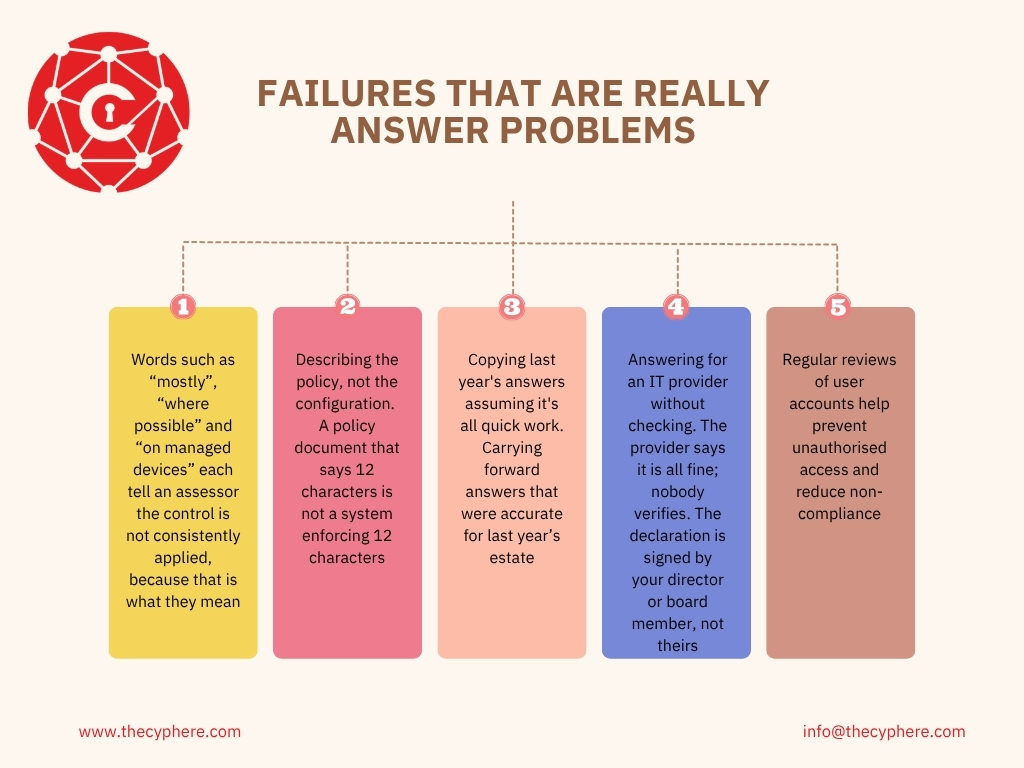
- Words such as “mostly”, “where possible” and “on managed devices” each tell an assessor the control is not consistently applied, because that is what they mean.
- Describing the policy, not the configuration. A policy document that says 12 characters is not a system enforcing 12 characters.
- Copying last year’s answers assuming it’s all quick work. Carrying forward answers that were accurate for last year’s estate (see our renewal guide).
- Answering for an IT provider without checking. The provider says it is all fine; nobody verifies. The declaration is signed by your director or board member, not theirs.
- Regular reviews of user accounts help prevent unauthorised access and reduce non-compliance.
Most organisations fail here because written policy is not the same as enforced settings.
“MFA is enabled where supported” gets marked down. “MFA is enforced for all users and administrators on Microsoft 365, Xero and HubSpot” passes. “We patch regularly” gets marked down. “Critical and high updates are applied within 14 days, including firewall firmware, tracked in our RMM” passes. Specific beats reassuring every time. – Harman Singh, IASME-licensed Cyber Essentials assessor, Cyphere
Is a failed Cyber Essentials assessment recorded anywhere public?
No. IASME’s certificate search lists organisations holding a current certificate, with its expiry date. A failed submission, a failed Plus audit or an assessment in progress does not appear; only you, your certification body and IASME know.
What is visible is a gap. If a fail means your renewal lands after the current certificate expires, anyone checking the register sees the expiry date, so tell the customers who rely on it. Our certificate check guide covers what buyers see.
How to avoid failing Cyber Essentials?
Most of what fails a submission can be found through internal gap assessments before it is submitted, and finding it yourself is cheaper.
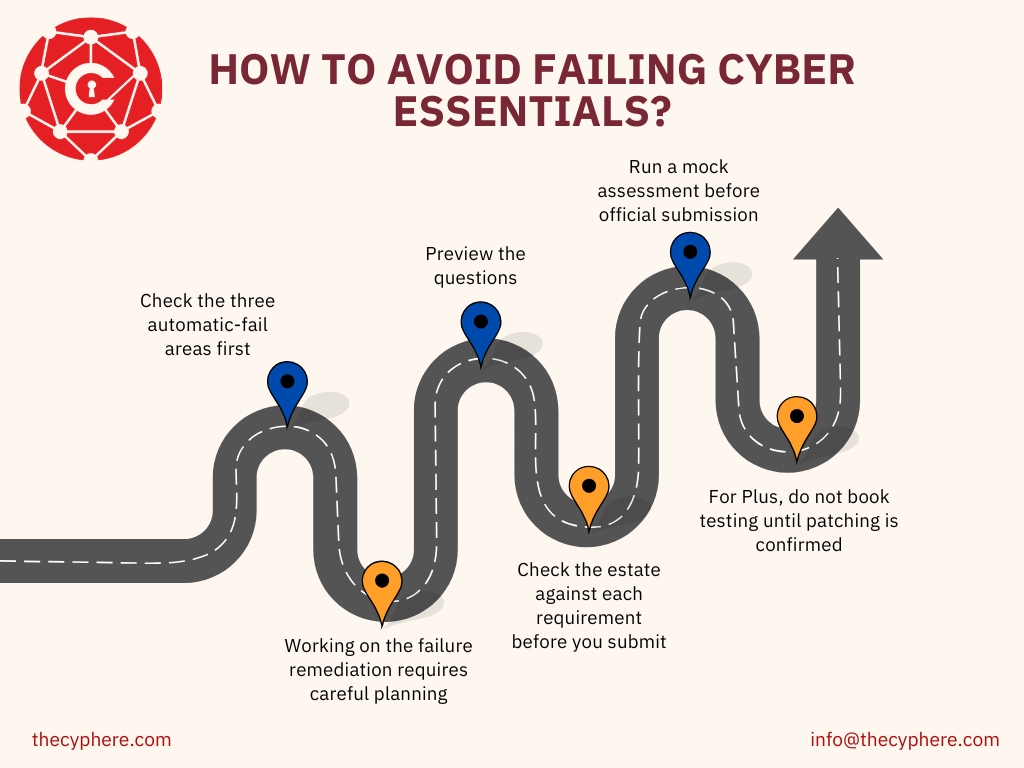
- Check the three automatic-fail areas first, against your asset register, your list of cloud services and your update records, and run a vulnerability scan across in-scope devices to catch missing patches and other weaknesses.
- Working on the failure remediation requires careful planning, and it may take longer for systemic issues such as patch management or lack of MFA; many businesses miss update deadlines or unmanaged-device risks when preparing.
- Preview the questions. IASME publishes the question set for free, and its readiness tool turns your answers into an action plan; after application, you have 6 months to complete your assessment.
- Check the estate against each requirement before you submit. Our checklist lists the evidence to gather, and enabling and verifying automatic updates for operating systems, phones and security tools can reduce avoidable failures.
- Run a mock assessment before official submission to identify gaps that still need fixing.
- For Plus, do not book testing until patching is confirmed and the self-assessment is final, and use a specialist partner where needed to guide you through the assessment process; fix the whole estate before testing begins, not just likely sampled devices.
No certification body can guarantee a pass, because the assessment marks your estate against the requirements; our guide to choosing a certification body covers which claims to read carefully.
How Cyphere gets first-time passes?
Because we mark submissions, we know what fails them, and our readiness review is built around that list rather than a generic checklist; we also help remediate identified issues after a failed assessment as well as before submission. We start with the areas that fail a submission outright, then read your draft answers the way an assessor will, and remediation is sequenced against your deadline, hardware first.
100% of the clients who complete our readiness check pass first time, and the aim is that nothing in the assessment is a surprise to you, with expert advice built into the review support from the start. Book a readiness check.
Failed Cyber Essentials FAQs
Do we have to pay again if we fail Cyber Essentials?
If the basic resubmission is still non-compliant, or either window is missed, you apply again and pay the IASME assessment fee again. The first correction sits inside the two-working-day window; at Plus, the retest is arranged with your assessor.
Is there a pass mark for Cyber Essentials?
Not as a percentage. For context, basic Cyber Essentials is a self-assessment questionnaire, while Plus uses technical testing. Each answer is marked compliant or non-compliant against the requirement behind it, and at Plus every test case must pass, with IASME’s narrow discretion for marginal deviations.
Does failing Cyber Essentials Plus cancel our Cyber Essentials certificate?
It can. If the updates missing in Sample 1 are missing again in Sample 2, or after the 30-day window, a second failure means CE+ fails, and the CE certificate is revoked. If you decline Sample 2, “the CE Verified Self-Assessment certificate will remain valid”.
Can one device fail the whole assessment?
Yes. At the basic level, you declare each control is in place across everything in scope, so one unsupported in-scope laptop can fail the whole organisation on that control; this also applies where a personal device has full access to organisational data or services but is not managed to the required standard. At Plus, one failed sub-test on a sampled device, phones and tablets included, and all mobile devices in scope must also have up-to-date malware protection installed to stop malicious software, fails the assessment.
Does failing a renewal cancel our current certificate?
No. A failed assessment does not cancel the existing certificate; it stays valid until its expiry date, 12 months from the day the application was assessed and marked as a pass, and only that expiry date creates the visible gap on the register. If a gap is coming, tell the customers who rely on it now.
Related Cyber Essentials guides
- Cyber Essentials requirements: the five controls in detail
- Cyber Essentials Plus requirements: what the audit tests
- Cyber Essentials self-assessment: how marking works
- Cyber Essentials checklist: what to have ready before you submit
- Supported operating systems
- Cyber Essentials scope
- Cyber Essentials renewal
- April 2026 Danzell changes