Cyber Essentials certification is one of the clearest ways a UK organisation can demonstrate it takes cyber security seriously. But with the v3.3 requirements now in force since 27 April 2026, the bar has shifted. Cloud services, multi-factor authentication, and firmware patching carry stricter rules, and getting any of them wrong can mean an automatic fail. This guide breaks down exactly what you need to know about the Cyber Essentials requirements, the five technical controls, and how to prepare for certification under the latest rules.
Key takeaways
- The Cyber Essentials requirements are five technical controls: firewalls, secure configuration, security update management, user access control and malware protection. You must meet all five on everything in scope.
- The current standard is the NCSC’s Cyber Essentials: Requirements for IT Infrastructure v3.3 (April 2026), assessed through IASME’s Danzell question set since 27 April 2026.
- Cloud services and end-user devices cannot be excluded from scope, and personal devices that access work data are in.
- Three areas are automatic fails under Danzell: unsupported software, a cloud service without multi-factor authentication (MFA), and high or critical updates not applied within 14 days.
- The same requirements apply at Cyber Essentials Plus; that level changes how they are verified, not what they are.
The Cyber Essentials requirements are five technical controls that must be in place on every device and cloud service in scope before an IASME-licensed certification body can issue a certificate. The National Cyber Security Centre (NCSC) sets them in one document, Requirements for IT Infrastructure, now at version 3.3.
They are designed to stop the most common cyber threats: malware, phishing that leads to account takeover, and cyber attacks that exploit unpatched software.
This guide sets out each control in the NCSC’s order, with its aim, the exact rules under v3.3, what the assessor checks, and the evidence to have ready. It also covers the Cyber Essentials password policy, who implements which control on cloud services, and the three areas that fail an assessment outright.
It is written for the IT manager, managed service provider or business owner, usually in a small or medium enterprise, who has been asked for Cyber Essentials certification and wants to know what has to be true on the ground. If you need the background on the Cyber Essentials scheme itself, start with our guide to what Cyber Essentials is.
It matters because most failed submissions we mark are not caused by weak cyber security. They come from one rule the applicant did not know was there: a 6-character device PIN, a vendor update with no severity rating, a SaaS tool one team signed up to without MFA. These are the details that decide pass or fail.
What are the Cyber Essentials technical requirements?
The requirements sit in one NCSC document, Cyber Essentials: Requirements for IT Infrastructure v3.3, often called the IT infrastructure document. IASME, the scheme’s delivery partner, licenses the certification bodies and turns the document into the self-assessment questionnaire (the question set) they mark against. The current question set is called Danzell.
The NCSC is clear about where responsibility sits for a Cyber Essentials scheme applicant: “it’s your responsibility to make sure that your organisation meets all the requirements.” You may also be asked for evidence before your certification body can award certification.
The same five Cyber Essentials security controls apply at both levels of the scheme. This page covers the requirements themselves; how they are tested at the higher level by adding independent technical verification is covered in our Cyber Essentials Plus requirements guide.
Backups, incident response plans and staff training are good practice, and the NCSC strongly recommends backing up, but none of them is an assessed requirement. Asset management is not a control either, although an accurate asset list is where every good submission we mark starts.
What is in scope?
Your Cyber Essentials assessment should cover the whole of the IT infrastructure used to run your organisation, or a well-defined and separately managed sub-set whose network is segregated from the rest by a firewall or VLAN. You agree the boundary with your certification body before the assessment starts and justify any partial scope to your assessor. Version 3.3 settles the points that used to be argued about:
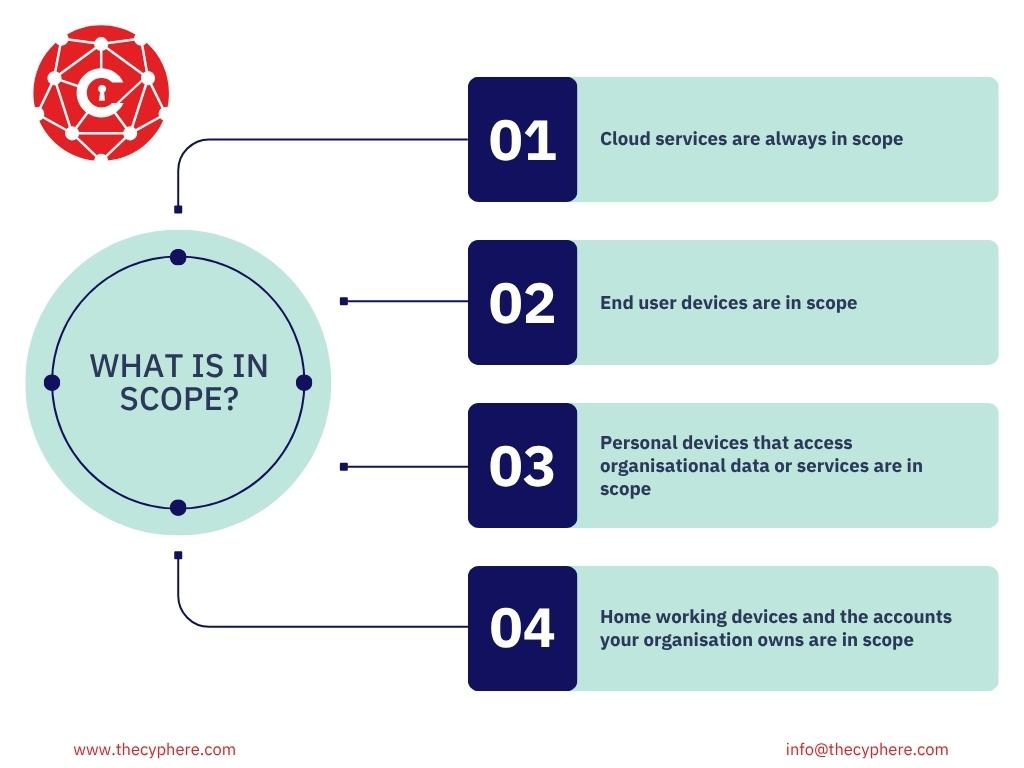
- Cloud services are always in scope. If your data or services are hosted on a cloud service (Microsoft 365, Google Workspace, your CRM, your finance system), it must be included. The NCSC states that “Cloud services cannot be excluded from scope.”
- End user devices are in scope. In the NCSC’s words, “a scope that doesn’t include end-user devices isn’t acceptable.”
- Personal devices that access organisational data or services are in scope. Devices used only for native voice calls, native text messages or MFA apps are out. A personal phone with work email is in. See our BYOD guide.
- Home working devices and the accounts your organisation owns are in scope, including accounts a supplier or managed service provider uses to manage your systems. Home routers you did not supply are out, so the firewall control is met with a software firewall on the device.
Our Cyber Essentials scope guide covers sub-sets, third-party devices and worked examples.
Who implements the controls on a cloud service?
Your organisation stays responsible for all five security controls on a cloud service, even where the provider carries out some of them. The NCSC’s Table 1 shows who typically implements each one.
|
Control |
IaaS (Amazon EC2, Google Compute Engine) |
PaaS (Azure Web Apps, AWS Lambda) |
SaaS (Microsoft 365, Dropbox, Gmail) |
|
Firewalls |
You and the provider |
The provider, sometimes you as well |
The provider |
|
Secure configuration |
You and the provider |
You and the provider |
You and the provider |
|
Security update management |
You and the provider |
You and the provider |
The provider |
|
User access control |
You |
You |
You |
|
Malware protection |
You and the provider |
The provider, sometimes you as well |
The provider |
User access control, including multi-factor authentication, is yours on every type of cloud service, which is why a SaaS tool without MFA fails your assessment and not the provider’s. Where you rely on the provider for a control, that commitment must be in the contract or in documents it refers to, such as the security statement in the provider’s trust centre.
From the assessor’s desk
The most useful hour in any engagement is the first one, when we ask contacts to list every cloud service their business actually uses. Nearly every client finds at least one service they had forgotten or were unaware of. Finding it then costs a conversation; finding it at the audit costs a retest. This is why asset management is the fundamental step for risk management.
Harman Singh, IASME-licensed Cyber Essentials assessor, Cyphere
The five technical controls: Cyber Essentials requirements for IT infrastructure (v3.3)
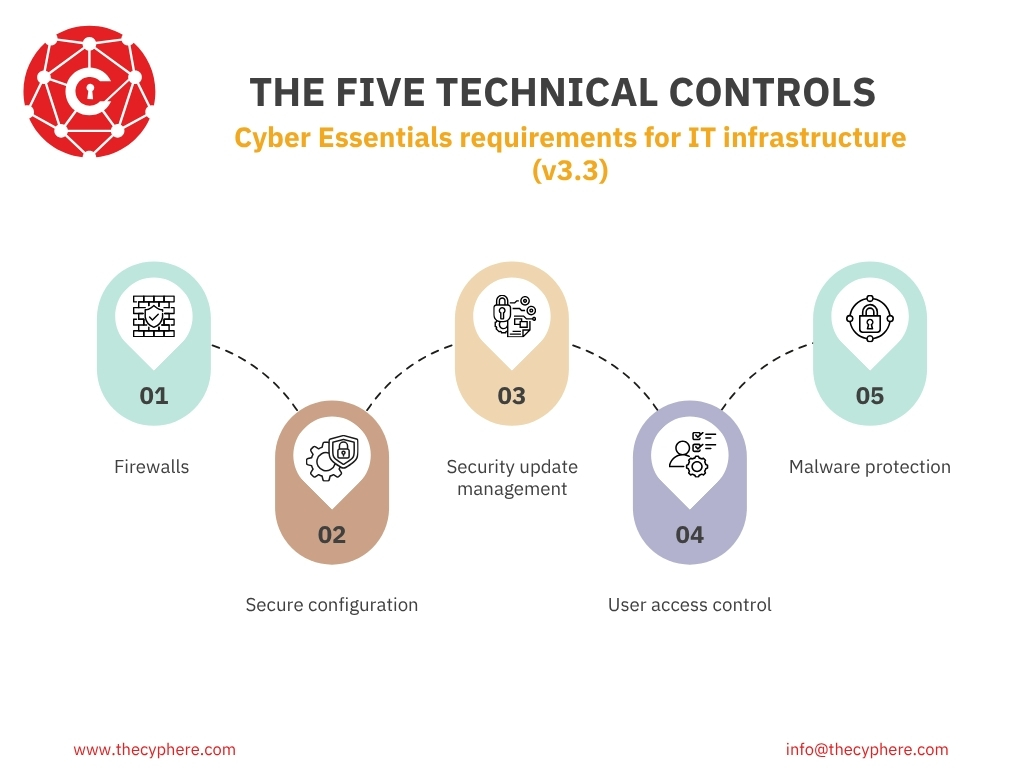
The Cyber Essentials covers five technical controls. The five controls are firewalls, secure configuration, user access control, malware protection, and security update management.
The names below are the NCSC’s current names; older guidance called the first “boundary firewalls and internet gateways” and the third “patch management”. The table is the short version. Each control then gets its NCSC aim, the exact requirements, what the assessor checks and the evidence to have ready.
|
Control |
What you must have |
Where submissions fail most often |
|
Firewalls |
A correctly configured firewall protecting every device in scope |
Firewall admin interface reachable from the internet; undocumented inbound rules |
|
Secure configuration |
Unnecessary accounts and software removed, no default passwords, device locking in place |
Auto-run left on; guest and test accounts still active |
|
Security update management |
All software licensed, supported and patched within 14 days for high-risk fixes; out-of-date software if kept in estate must have ESU |
Software past vendor end of support; updates outside 14 days, especially firmware |
|
User access control |
Approved accounts, unique credentials, MFA on every cloud service, separate admin accounts |
Admin accounts used for email; MFA missing on one cloud service |
|
Malware protection |
Anti-malware software or application allow listing active on every device |
Anti-malware installed but not updating; servers left out |
1. Firewalls
Aim: In the NCSC’s words, “to make sure that only secure and necessary network services can be accessed from the internet.”
The control applies to boundary firewalls, routers, servers, desktops, laptops and all three types of cloud service, where the same job is done with data flow policies.
Firewall requirements
You must protect every device in scope with correctly configured firewall protection, whether through a firewall or a network device with firewall functionality. For every firewall, your organisation must:
- change the default administrative password to a strong and unique one, or disable remote administrative access entirely;
- prevent access to the administrative interface from the internet unless there is a clear and documented business need, and the interface is protected by MFA or by an IP allow list limited to a small range of trusted addresses combined with a properly managed password;
- block unauthenticated inbound connections by default;
- make sure inbound firewall rules are approved and documented by an authorised person, with the business need recorded;
- remove or disable firewall rules once they are no longer needed.
Where your organisation does not control the network a device connects to (public Wi-Fi, a home worker’s own broadband), protection has to come from a software firewall on the device. The firewall built into Windows or macOS meets this when it is switched on, and we ask to see that on the device rather than in a policy document.
What assessors check
The assessor marks your answers about administrative access to the firewall, the inbound rules and their documented business need, and the software firewall on devices used away from your network.
2. Secure configuration
Aim: Computers and network devices are configured to reduce vulnerabilities and provide only the services required to fulfil their role (NCSC v3.3).
The control applies to servers, desktops, laptops, tablets, phones, thin clients and all three types of cloud service.
Secure configuration requirements
Your organisation must proactively manage its computers and network devices. You must regularly:
- remove or disable unnecessary user accounts, such as guest accounts and administrative accounts that will not be used;
- change any default or guessable account passwords (default credentials are published for most devices);
- remove or disable unnecessary software, including applications, system utilities and network services;
- disable any auto-run feature that allows file execution without user authorisation, for example on download;
- authenticate users before they access organisational data or services;
- apply appropriate device locking controls for users who are physically present.
Device locking rules: Where a device needs a user’s physical presence (a laptop logon, a phone unlock), a biometric, password or PIN must be in place first. It must be protected against brute-force attacks by throttling (no more than 10 guesses in 5 minutes) or by locking the device after no more than 10 failed attempts. Where the vendor does not let you configure either, its default is accepted.
A PIN or password used only to unlock a device must be at least 6 characters. If the same credential also signs the user in to organisational services, the full password rules under user access control apply instead.
What assessors check
The assessor reads your answers on default passwords, unused accounts, auto-run and device locking, and may ask for evidence.
3. Security update management
Aim: Devices and software are not vulnerable to known security issues for which fixes are available (NCSC v3.3).
Vendors fix known vulnerabilities with patches, security updates, registry fixes, scripts or configuration changes, which the NCSC calls vulnerability fixes. The control applies to servers, desktops, laptops, tablets, phones, firewalls, routers and all three types of cloud service.
Security update requirements
All software on in-scope devices must:
- be licensed and supported;
- be removed from devices when it becomes unsupported, or removed from scope by moving it into a defined sub-set that prevents all traffic to or from the internet;
- have automatic updates enabled where possible;
- be updated, including vulnerability fixes, within 14 days of release where the update meets any of the three triggers below.
The three triggers for the 14-day rule: An update must be installed within 14 days of release if the vendor describes the vulnerabilities it fixes as critical or high risk, if they have a CVSS v3 base score of 7 or above, or if the vendor gives no details of the severity at all.
The NCSC adds a caution: if a vendor bundles fixes of different severities into one update and any of them is high or critical, the whole update falls inside the 14 days.
The clock starts when the vendor releases the fix, whether or not your updates are automatic, so a critical fix released on 3 March must be installed on every in-scope device by 17 March.
“Software” includes firmware: The NCSC’s definition covers operating systems, applications, browser extensions, scripts, libraries, network software, and firewall and router firmware.
Supported means the vendor is still issuing fixes. The NCSC defines licensed and supported software as software you have a legal right to use and that a vendor has committed to support with regular vulnerability fixes, with a published date for when that support ends. The test is the version you run, not the product family.
End-of-life software has two options only: remove it, or isolate it in a sub-set with no internet traffic in either direction. Extra security products around it do not count, and the NCSC’s Test Specification rules out virtual patching for unsupported operating systems. Our supported operating systems guide lists current end-of-support dates and IASME’s position on Windows 10 Extended Security Updates.
What assessors check
Two of the three automatic fails under Danzell sit in this control. Unsupported software on an in-scope device fails the assessment, and so does a high or critical update outside the 14 days (questions A6.4 for operating systems and firmware, A6.5 for applications).
From the assessor’s desk
The 14 days start when the vendor releases the fix, not when your monthly patch cycle comes round. Organisations patching on a monthly rhythm are often compliant on paper and outside the window in practice.
Harman Singh, IASME-licensed Cyber Essentials assessor, Cyphere
4. User access control
Aim: User accounts are assigned to authorised individuals only, and give access only to the applications, computers and networks each person needs for their role (NCSC v3.3).
The control applies to servers, desktops, laptops, tablets, phones and all cloud services, and it includes accounts used by third parties such as your support provider.
User access control requirements
Your organisation must:
- have a process in place to create and approve user accounts;
- authenticate users with unique credentials before granting access to applications or devices;
- remove or disable accounts when they are no longer needed, for example when someone leaves or after a defined period of inactivity;
- implement MFA where available, and note that “authentication to cloud services must always use MFA”;
- use separate accounts for administrative work only, with no email, web browsing or other everyday activity from them;
- remove or disable special access privileges when no longer required, for example when someone changes role.
Multi-factor authentication on cloud services is not negotiable. A cloud service in scope without MFA is an automatic fail under Danzell, and that covers standard users, administrators and shared accounts. The NCSC recognises four types of additional factor: a managed or enterprise device, an app on a trusted device, a physically separate token, or a known or trusted account.
SMS is not the most secure type of MFA, but the NCSC’s position is that any MFA is a huge advantage over none, and it suggests an alternative where one will work for your situation. It also says you should always use MFA for administrative accounts and for any account reachable from the internet, not only on cloud services.
Passwordless authentication counts. Version 3.3 defines it as establishing identity with a factor other than knowledge, and lists passkeys, biometrics, security keys or tokens, push notifications and one-time codes. FIDO2 authenticators are regarded as MFA in their own right. Passwordless meets the authentication requirement; it does not, on its own, pass the rest of this control.
Cyber Essentials password policy requirements
Where authentication uses a password, the NCSC sets these minimums. There is no requirement for regular password changes or complexity rules; the scheme tells you not to enforce them.
|
Situation |
Minimum rule |
|
Password used with MFA |
At least 8 characters, no maximum length |
|
Password without MFA |
At least 12 characters, or at least 8 characters with automatic blocking of common passwords (a deny list) |
|
Brute-force protection |
MFA, or throttling (no more than 10 guesses in 5 minutes), or lockout after no more than 10 failed attempts |
|
Do not enforce |
Regular password expiry, or complexity rules |
Alongside the technical rules, you should educate people about avoiding common passwords, encourage longer passwords made of at least three random words, provide a password manager or other secure storage, and have a process to change a password quickly if an account may have been compromised.
What assessors check
The assessor marks your answers on account approval, unique credentials, leavers, MFA coverage for every cloud service, and admin separation. MFA is the answer often claimed and least often completed, so list every cloud service before you answer/ complete your self-assessment application.
From the assessor’s desk
In a five-person business, the person who runs IT is usually also doing sales and reading email. A separate admin account feels like overhead until you picture that inbox opening the wrong attachment with full administrative rights. It is the cheapest control on the list.
Harman Singh, IASME-licensed Cyber Essentials assessor, Cyphere
5. Malware protection
Aim: In the NCSC’s words, “to restrict execution of known malware and untrusted software from causing damage or accessing data.”
Malware arrives through email attachments, downloads (including from app stores) and direct installation of unauthorised software. The control applies to servers, desktops, laptops, tablets, phones and all three types of cloud service.
Malware protection requirements
A malware protection mechanism must be active on every device in scope, using at least one of two options. In either case, the software must be active, kept up to date in line with the vendor’s instructions, and configured as below.
Anti-malware software is the option for devices running Windows or macOS, including servers, desktops and laptops. It must be updated in line with vendor recommendations, prevent malware from running, prevent the execution of malicious code, and prevent connections to malicious websites over the internet.
Application allow listing is an option for any in-scope device, and it is how phones and tablets usually meet the control through their official app stores. Only approved applications, restricted by code signing, may execute. You must approve each application before deploying it, maintain a current list of approved applications, and make sure users cannot install anything unsigned or with an invalid signature.
Built-in protection is fine: Microsoft Defender meets the requirement when it is switched on, updating and set to block malicious websites. What fails is the gap between installed and working: signatures out of date, a group of laptops never enrolled, servers assumed to be covered. Implementing these controls as part of the wider control set helps strengthen your security posture and reduce the impact of a cyber incident, while forming a good foundation for cyber hygiene and supply chain security.
What assessors check
The assessor marks which option each type of device uses and whether it is configured as required: updating, blocking execution and blocking malicious websites for anti-malware software, or an approved list and code signing for allow listing.
How the same requirements are tested at Cyber Essentials Plus
Cyber Essentials Plus does not add requirements. It does require a valid Cyber Essentials certificate first. Plus also adds a hands-on technical audit of a sample of systems to verify the same controls in practice. An assessor tests the five controls above on a sample of your devices and on every cloud service: an external vulnerability scan, an authenticated scan for missing updates, malware test files, an MFA check and an account separation check.
If a buyer has asked you for Plus, the rules on this page are still the ones you have to meet; our Cyber Essentials Plus requirements guide covers the audit itself.
What is new in the 2026 requirements (v3.3)?
Version 3.3 has applied to new assessments, through the Danzell question set, since 27 April 2026. The National Cyber Security Centre’s six listed changes clarify rather than add controls; what changed is how strictly the five are marked.
Under Danzell, three areas are automatic fails: unsupported software on an in-scope device, a cloud service in scope without MFA, and high or critical security updates not applied within 14 days. Each one ends a submission on its own.
If you were Cyber Essentials certified under an earlier question set (Willow, Montpellier or Evendine), your next renewal is assessed against v3.3. Applicants still on Willow must submit their basic assessment by 26 October 2026. Our guide to the April 2026 Danzell changes explains what changed in the assessment itself and the Willow deadlines. Feel free to get in touch if you are unsure or confused by different versions and changes.
Before you submit
Many failures come from a gap between what an organisation believes is in place and what is actually there on every device and service in scope: a server past end of support, a SaaS tool without MFA, an administrator who reads email with an admin account. Use these questions as practical guidance for a gap analysis before you submit or renew your Cyber Essentials assessment:
- Have you listed every device, cloud service and user account in scope, including personal devices with work email and mobile devices?
- Is every piece of software still supported by its vendor, with a published end-of-support date?
- Is MFA switched on for every cloud service, for every user, administrator and shared account?
- Does anyone use an administrative account for email or browsing?
- Are high-risk updates applied inside 14 days, firmware and browser extensions included?
- Is every device locked with a credential of at least 6 characters, with throttling or lockout in place?
- Can you show evidence, not just an assertion, for each of the above?
Cyber Essentials certification lasts for one year, so repeat the same checks before each renewal to maintain Cyber Essentials compliance.
Our Cyber Essentials checklist turns this into a full readiness list, and our guide to why organisations fail covers what happens next, including the two working days to correct a submission at no extra charge. Small organisations that need hands-on help putting the security controls in place can also use Cyber Advisors working under the NCSC’s Cyber Advisor scheme.
How Cyphere assesses the five controls
When I mark a submission, I am reading for two things: whether each answer meets the requirement, and whether the answers agree with each other. The second catches more than the first. A scope listing 40 devices and later on in the application a controls answer covering 35 tells me something is missing before I look any further.
Harman Singh, IASME-licensed Cyber Essentials assessor, Cyphere
We are an IASME-licensed certification body, so the same assessors who mark Cyber Essentials certification submissions run the readiness check to help organisations achieve certification and, where needed, support them to achieve Cyber Essentials before the Plus audit where a buyer asks for it. Book a readiness check with an IASME-licensed assessor.
Cyber Essentials Requirements FAQs
What are the five Cyber Essentials controls?
Firewalls, secure configuration, security update management, user access control and malware protection. All five apply to everything in scope, and together they address the most common cyber attacks on UK organisations.
Are there automatic fail questions in Cyber Essentials?
Yes. Under the Danzell question set, three areas end a submission outright: unsupported software, a cloud service without MFA, and a high or critical update not applied within 14 days (questions A6.4 and A6.5). For the basic certification, organisations complete the self-assessment question set first, and the same controls are then verified more deeply at Plus.
What is the Cyber Essentials password policy?
Passwords must be at least 12 characters, or at least 8 characters with a deny list of common passwords, or at least 8 characters where MFA is used. There must be brute-force protection through MFA, throttling or lockout, and you must not force regular password changes or complexity rules. A PIN or password used only to unlock a device needs at least 6 characters.
Do the requirements differ for Cyber Essentials Plus?
No. The technical requirements are identical; Plus changes how they are verified, and it requires the standard Cyber Essentials certificate first. It is often chosen where stronger assurance is needed for systems handling sensitive data. See Cyber Essentials Plus requirements.
Are backups a Cyber Essentials requirement?
No. The NCSC strongly recommends backing up, but backups, incident response plans and staff training are not assessed controls.
Can legacy systems stay connected and still pass?
Only if the software is still supported by its vendor. Unsupported systems must be removed or moved into a segregated sub-set with no internet traffic in either direction. Virtual patching and other compensating products are not accepted.
Are personal phones and laptops covered by the requirements?
Yes, if they access organisational data or services, for example work email or a cloud application. They must meet the same five controls as company devices. The only exception is a personal device used solely for native voice calls, native text messages or an MFA app. See our BYOD guide.
Related Cyber Essentials guides
If you’re new to the scheme, these related guides explain the certification process in more detail.
You can also work with an accredited certification body when you’re ready to be assessed.
If you need help before assessment, an assured service provider can support implementation.
Cyber Essentials mandatory status usually depends on the type of work you do. The UK government requires it for some UK government contracts. It can also strengthen your position when bidding for government contracts.