Key Takeaways
- This Cyber Essentials checklist covers both certification readiness levels. Everything on it applies to Cyber Essentials; the audit preparation list further down applies if you are going on to Cyber Essentials Plus, which must be completed within 90 days of your basic certificate.
- Work through it before you open the question set, not while you answer it. Contradictory answers are one of the commonest reasons submissions come back.
- Check the three automatic-fail areas first: unsupported software, cloud services without MFA, and high or critical updates not applied within 14 days.
- Tick an item only when you can show evidence for it. The records you gather while ticking are the ones an assessor asks for.
- IASME’s cyber essentials readiness tool and question preview are free. Use them alongside this list.
In our assessments, the usual failure is not weak security. It is one device, one cloud service or one account that was never part of the picture. A checklist fixes that, and becoming Cyber Essentials certified helps build customer trust and strengthen your reputation.
This Cyber Essentials checklist is what we work through with clients before an assessment. It is organised by the five technical controls the National Cyber Security Centre (NCSC) sets against the most common cyber attacks, asks for evidence rather than assurances, and is written to be printed and ticked.
Use it if you are the IT manager, business owner or managed service provider who wants a list to tick before applying for Cyber Essentials certification, and again before a Plus audit. For the scheme itself, start with what Cyber Essentials is.
Before you start the Cyber Essentials checklist
Preview the assessment questions
IASME publishes the self-assessment questions as a free self-assessment questionnaire written in plain English. Read them first so you know how each Cyber Essentials requirement is asked; the checklist below follows the same controls.
Agree your scope
The NCSC’s instruction is to “establish the boundary of scope for your organisation, and then determine what is in scope within this boundary.” Cloud services, end user devices and personal devices that access work data cannot be left out. Our scope guide has worked examples.
Confirm the version
New assessments use the NCSC’s Requirements for IT Infrastructure v3.3, assessed through IASME’s Danzell question set, effective from 27 April 2026, for the scheme introduced in 2014 by the NCSC under the UK government. Our Cyber Essentials requirements guide explains each control in full, so this page keeps to the tick items.
Run the free Cyber Essentials readiness tool
IASME’s readiness tool is a free tool on the IASME website, an interactive website that asks about your setup and turns your answers into an action plan; you can work through it at your own pace by saving your answers and returning later. It does not replace a gap analysis, but it is free and official.
Use the Cyber Essentials Knowledge Hub and Cyber Advisors
The Cyber Essentials Knowledge Hub adds IASME’s guidance on each control, and Cyber Advisors under the NCSC’s Cyber Advisor scheme give small organisations hands-on help. It also provides sector-specific guidance, up-to-date information, and additional guidance documents for organisations with limited technical knowledge.
The Cyber Essentials checklist: the five controls against common online threats
Tick each item only when you can show evidence for it, not when you believe it is true. Three items are tagged as automatic fails; clear those before anything else. Don’t know where to start? Download the printable version below and start with the pre-readiness checklist.

0. Scope and inventory
- Scope agreed in writing with your certification body: whole organisation, or a sub-set separated by a firewall or VLAN
- Asset list of every in-scope device (desktops, laptops, thin clients, virtual desktops, servers, phones, tablets, firewalls, routers) with operating system and version
- Every cloud service your data sits in is listed (email, file storage, CRM, finance, HR, collaboration tools)
- For each cloud service you know which controls the provider runs for you; the NCSC requires that the provider “has committed to implementing this via contractual clauses or documents referenced by contract”, and a SaaS service still has to be configured securely by you
- Personal devices that access work email or data are listed, whether they belong to staff, volunteers or trustees; a phone used only for native voice, native text and MFA apps is out (see our BYOD guide)
1. Firewalls
- Prevent access to the firewall administrative interface from the internet. If there is a documented business need for internet access to it, protect it with MFA, or with an IP allow list and a strong managed password
- Change default administrative passwords to a strong and unique password, or disable remote administrative access entirely
- Block unauthenticated inbound connections by default (for cloud services, the NCSC says “you can achieve this using data flow policies”)
- Every inbound firewall rule is approved and documented by an authorised person, with the business need recorded
- Review firewall rules regularly and remove outdated or unnecessary rules, which is how the scheme addresses security at the network edge
- Devices used on networks you do not control (home broadband, public Wi-Fi) have their software firewall switched on; a router you give to a home worker is in scope, and all other home routers are out, and this should be reflected in your asset list alongside other network devices
2. Secure configuration
- Change all default passwords or guessable account passwords
- Remove or disable unnecessary software, services and user accounts (such as guest accounts and dedicated admin accounts, with admin privileges limited to those accounts only when required)
- Disable the auto-run feature without user authorisation to prevent malware execution
- For physical access to user devices, a biometric, PIN or password must be in place to unlock the device (a PIN used only for unlocking must be at least 6 characters; where the unlock credential is also the login credential, the full password rules apply)
- Protect your chosen authentication methods against brute-force attacks by throttling the rate of attempts (no more than 10 guesses in 5 minutes) or lock the device after no more than 10 failed attempts
- Use technical controls to manage the quality of passwords. This guidance also helps non-technical readers understand technical terms around password quality and authentication. This will include either MFA (with a password of at least 8 characters), a minimum password length of 12 characters, or a minimum password length of 8 characters with automatic blocking of common passwords
- Regular password expiry and forced complexity rules are switched off; the NCSC advises against both
3. Security update management
All software on in-scope devices must:
- Be actively supported and licensed (automatic fail); Windows 10 without Extended Security Updates has been unsupported since 14 October 2025, see our supported operating systems guide
- Be removed when it becomes unsupported, or removed from scope by using a defined sub-set (VLAN or firewall-based segregation) that prevents all traffic to and from the internet
- Have automatic updates enabled where possible
- Ensure all patching updates, including manual configuration changes, are in place within 14 days of an update being released (automatic fail). This applies where the vendor rates the fix critical or high risk, or where the vendor gives no severity details, or where the CVSS v3 base score is 7 or higher; a single update that bundles any critical or high fix counts
- The 14-day rule is applied to firewall and router firmware, browsers and browser extensions, not only to operating systems
Keeping software supported and patching on time helps protect against common cyber threats and common internet threats; it also reduces exposure to wider cyber threats, and Cyber Essentials is commonly cited as reducing the risk of cyber attacks by 80–85%.
4. User access control
- Your organisation must have a process to create and approve user accounts
- Authenticate users with unique credentials before authorising access to applications, systems, services or devices
- Remove or disable user accounts when not required, i.e. leavers and inactive user accounts
- Remove or disable special access privileges (or admin accounts) when no longer required
- Authentication to every cloud service must use multi-factor authentication (MFA) for users and administrators (automatic fail); use MFA for all administrative accounts and accounts accessible from the internet, and elsewhere wherever it is available
- Use a dedicated admin account for privileged tasks and do not allow corporate email, web browsing or standard user activities from it
- Accounts used by a supplier, contractor or managed service provider (MSP) to manage your infrastructure are in scope and meet the same rules; where a service is externally managed, you can show in your answers that the security controls are met
- Support users in selecting unique passwords by educating staff and providing usable, secure password storage
- Ensure there is an established process to change passwords if you know or suspect a password or account has been compromised
5. Malware protection
A malware protection mechanism is active on every in-scope device: anti-malware software (an option for Windows and macOS) or application allow listing (an option for any device).
This helps keep business data safe from cyber criminals trying to gain access through malicious files or websites.
Anti-malware software must be configured to:
- Prevent malware from running (file execution)
- Prevent the execution of malicious code
- Prevent connections to malware-infected websites over the internet
- Be updated in line with vendor recommendations
- Or, where you use application allow listing instead (common on phones and tablets): applications are approved before deployment, a current list is kept, and only code-signed applications can run
Beyond the requirements (not assessed)
- Backups are in place, and restores are tested. The NCSC says this “is not a technical requirement of Cyber Essentials. However, we highly recommend implementing an appropriate backup solution.”
Vulnerability assessment, penetration testing, logging and monitoring and an incident response plan sit outside the scheme; no assessor marks them, and nothing on the question set asks for them.
What Cyber Essentials Plus adds to the checklist
The Cyber Essentials Plus checklist is the list above plus audit preparation, while the basic certification is the self-assessed foundation before moving to hands-on validation. The technical controls requirements do not change; an IASME-licensed assessor tests them on sampled devices and on every cloud service, following the NCSC’s Cyber Essentials Plus Test Specification. Our Cyber Essentials Plus requirements guide explains each of the five tests; this list covers what you need ready, and the audited process also helps align corporate processes with data security regulations.
Cyber Essentials Plus audit preparation checklist
Cyber Essentials Plus has stricter certification requirements than the basic certification because controls are independently tested on sampled systems and cloud services.
- Written authorisation for testing, signed by someone with the authority to give it
- The scope of the Plus audit matches the scope on your Cyber Essentials certificate exactly
- Where you certified a sub-set, segregation is real and demonstrable, not just documented
- Your asset list (devices, operating systems, cloud services and public IP addresses) has gone to your certification body so the sample can be set
- Your assessor has set the representative sample of devices (you do not choose it), and the users of those devices are booked to be at them during testing
- The sample is set per operating system in use and can include end user devices of every kind (desktops, laptops, thin clients, tablets and smartphones, “whether physical or virtual”), internally hosted servers and IaaS instances, not only laptops; the user of a sampled phone or tablet needs it to hand on the day
- Working email clients and browsers on the sampled devices
- A standard user and an administrator account available for every cloud service
- Users of sampled devices have their MFA method to hand for the observed cloud sign-in
- A standard user account is available on each sampled device for the privilege check
- Your certification body’s test file domain, and the assessor’s sending address, have been allow-listed where your filtering would otherwise block them
- Every internet-facing IP address is known, including anything in IaaS; where you are on dynamic addresses, give the assessor DNS names
- The access needed for the authenticated vulnerability scan is set up and tested before the day on every sampled device, servers and IaaS instances included
- A technical contact (yours or your MSP’s) with remote access arrangements for the sampled devices, and someone who can sign in as administrator to each cloud service, are available throughout
- High and critical vulnerabilities are closed with the vendor fix (update, patch or configuration change) or by removing the software; virtual patching is not accepted
- Your verified self-assessment is final; it cannot be changed once testing starts [HD CONFIRM: locked VSA rule, IASME source]
- Your Plus audit, and any retest, can be completed within 90 days of your Cyber Essentials certificate
CE Plus audits mostly run late for one of these reasons: a sampled user in a meeting, an admin account nobody can log into, a web filter blocking the test files or the MSP IT contact is unreachable. None of that is a security failure, but each one costs an hour on the day. Check the access and account items, and inform the relevant stakeholders with enough notice. You can also use our checklist and share it internally.
Harman Singh, IASME-licensed Cyber Essentials assessor, Cyphere
From self-assessment to Plus audit
The NCSC sets the requirements; IASME, the scheme’s sole delivery partner, licenses the certification bodies whose assessors mark your self-assessment and carry out the Plus audit. In practice, the Cyber Essentials process starts with the basic self-assessment, then moves into a Cyber Essentials assessment by the certification body: a director or board member signs the declaration, the assessor marks it, and you have two working days to correct any answers that need it before any Plus audit. Our self-assessment guide covers the marking.
If you pass, you receive your Cyber Essentials certificate within three working days (most within one), and then have 90 days to complete the Plus audit, which we deliver remotely for the vast majority of organisations. Certification can also be a requirement for many public sector contracts, and certified organisations are listed on the UK’s NCSC Database. Anything that fails at Plus has to be fixed and retested within 30 days, and IASME’s second sample checks that the fixes were applied across the whole scope: see what happens if you fail.
For timings, see how long Cyber Essentials takes; for what changed in April 2026, see our guide to the April 2026 changes.
What records do you need for Cyber Essentials?
You do not need a document library. You need a small number of records that are current and used. These records are the core resources needed to support the assessment and show your current level of security:
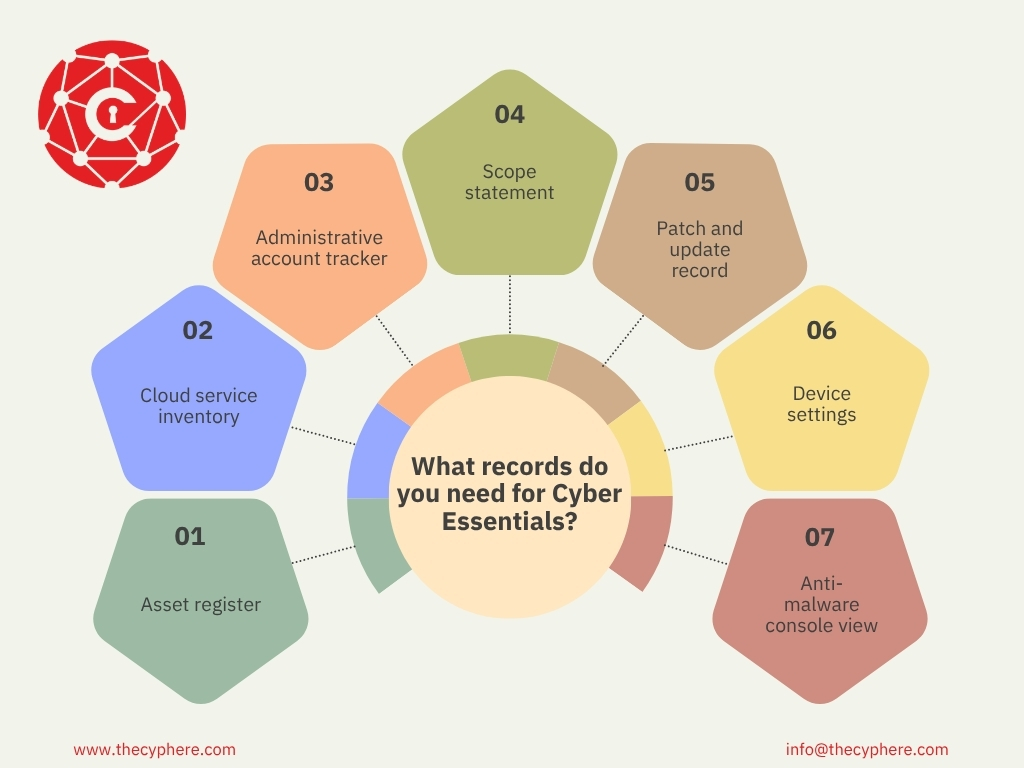
- Asset register covering devices, operating systems and vendor support dates
- Cloud service inventory with MFA status against each entry
- Administrative account tracker showing who holds admin rights and why, including accounts held by your MSP or contractors
- Scope statement defining the boundary and any sub-set (see the scope guide for worked examples)
- Patch and update record showing what was applied and when
- Device settings from your MDM, mobile devices or group policy, covering device lock and auto-run
- Anti-malware console view showing coverage and last update, or your application allow list policy
At Cyber Essentials Plus, the assessor compares these records with what the scans and the sampled devices show, so keep them current right up to the audit day.
How to prepare cyber essentials requirements in two weeks
A realistic sequence for an organisation starting from a reasonable baseline:
Days 1 to 3. Agree scope and complete section 0 of the Cyphere Cyber Essentials checklist. This is the foundational step that determines everything else.
Days 4 to 7. Clear the three tagged items in the checklist: vendor support, cloud MFA and the patch record. These are the big ones that are automatic fails; therefore, strike these off your checklist.
Days 8 to 11. Work through the remaining checklist items per control and fix the gaps.
Days 12 to 14. Complete the question set with the checklist beside you, have someone else read the answers for contradictions, and have a director or board member sign the declaration.
If CE Plus follows, book the Plus audit before you submit the basic assessment. Booking early creates a tailored pathway through the Cyber Essentials process and helps teams prepare at the right pace with the checklist beside them.
Where organisations need longer, it is almost always because an unsupported device needs replacing, which is a procurement timeline rather than a security one.
Common pitfalls
- A personal phone with work email left out of scope, when it is in. See BYOD requirements.
- The three automatic fails: a cloud tool one team adopted without MFA, a spare laptop or old server nobody remembered, and firmware or browser extensions left out of patching.
- Answers that describe the policy rather than the configuration on the device.
- Starting too close to a tender deadline.
Our guide on why organisations fail Cyber Essentials covers each in more depth.
After you certify: keep it current
Cyber Essentials certification lasts for one year before renewal is needed. The Cyber Essentials controls have to stay in place for the life of the certificate. A lot of these are fundamental security controls; therefore, these are helping to protect your business, not just keeping up with certification. Certification requires a verified self-assessment or external audit. See our renewal guide.
How Cyphere runs a readiness check
Our readiness phase provides practical support and effective cyber security advice for small organisations through a consultative approach, including but not limited to conference calls, sharing readiness checklist updates, answering queries, and performing active gap analysis if required against your actual estate. At the end, you get a written gap list, ranked by what would fail and what would simply be marked down, and a remediation plan with realistic timescales, with the readiness check designed to be cost-effective. The point is that nothing on the day of assessment should be new to you.
Harman Singh, IASME-licensed Cyber Essentials assessor, Cyphere
Our assessors are in-house and IASME-licensed. Book a readiness check or certification.
FAQs
Can I download this Cyber Essentials Certification checklist?
Yes, free. The download link is at the top of the checklist section. It covers both Cyber Essentials and Cyber Essentials Plus, organised by control.
Is the IASME readiness tool the same as this checklist?
No. IASME’s free Cyber Essentials readiness tool turns your answers into an action plan; this checklist adds the evidence to gather and the Cyber Essentials Plus preparation items.
How long does Cyber Essentials Plus take?
The assessor’s assessment and decision take one to two business days at most. With preparation and the basic certificate first, both levels take one to two weeks if you are ready and a couple of months if baselines need putting in place, and the audit must be completed within 90 days of the basic certificate.
Can the Cyber Essentials Plus audit be done remotely?
Yes. We run Cyber Essentials Plus audits remotely, with the assessor watching each sampled user over screen share while the tests run. On-site testing is arranged only where it is genuinely needed and agreed beforehand; the tests are the same either way.
How much does Cyber Essentials Plus cost?
With Cyphere, from £1,299 + VAT for organisations under 50 staff, £1,599 for 50 to 249 and £1,999 for 250 to 500, including the basic assessment, a readiness check, the audit and certification. See our cost guide.
What happens if I fail Cyber Essentials?
At the basic level, you have two working days to correct non-compliant answers and resubmit. At Plus, you have 30 days to fix failed items and have them retested. See what happens if you fail.
Can our IT provider complete the checklist for us?
They can do most of the technical work, but a director or board member of your organisation signs the declaration, and the answers are your responsibility. Make sure whoever answers can evidence each claim.
How long is a Cyber Essentials certificate valid?
12 months from the day the application is assessed and marked as a pass, at both levels. Renewal is a fresh assessment against the requirements current at the time.
Related Cyber Essentials guides
- What is Cyber Essentials?
- Cyber Essentials requirements: the detail behind each checklist item
- Cyber Essentials Plus requirements: what the audit tests
- Cyber Essentials self-assessment: how the questions are marked
- How long does Cyber Essentials take?
- Why organisations fail Cyber Essentials