Key Takeaways
- Cyber Essentials does not publish a list of approved operating systems. It applies one rule: software in scope must be licensed and supported, with the vendor still issuing security fixes and a published end-of-support date.
- Unsupported software anywhere in scope is one of the three automatic-fail areas under Danzell (v3.3), alongside a cloud service without MFA and high or critical updates not applied within 14 days. It must be removed, or segregated into a sub-set with no internet traffic in either direction; compensating controls such as virtual patching are not accepted.
- The rule covers more than desktop operating systems: server and mobile operating systems, firewall and router firmware, browsers, extensions and applications all fall under it.
- IASME’s Cyber Essentials Knowledge Hub publishes a page per operating system and is the list assessors work from: Windows 10 only with Extended Security Updates (ESU) on version 22H2 or on a supported LTSC edition; Windows Server in mainstream or extended support; iOS and iPadOS 16, 18, 26 and 27; macOS Tahoe, Sequoia and Sonoma; Android 14 to 17; the latest ChromeOS version; Ubuntu LTS within standard or Pro support.
Cyber Essentials does not have an approved list of operating systems. It has a rule: every piece of software in scope, operating systems included, must be licensed and supported by a vendor that still issues security fixes and has published the date those fixes stop. An operating system that meets the rule passes this test. One that does not fails, however well the machine runs.
This article is for IT and security teams looking to prepare for Cyber Essentials and Cyber Essentials Plus certification. Why this matters? It matters because understanding OS requirements is a critical element to remain compliant under the Cyber Essentials scheme, under the test case ‘Security Update Management’.
In our current assessments, an unsupported operating system (also referred to as OS from here on) is one of the most common reasons an otherwise well-run organisation fails, and the fix usually involves procurement rather than configuration change.
Last checked: 18 October 2026 against IASME’s Knowledge Hub and the vendor pages linked below. We review this page quarterly and after any major vendor announcement.
The Cyber Essentials requirements rule: licensed, supported, and receiving fixes
As per the Cyber Essentials scheme, the NCSC’s Requirements for IT Infrastructure v3.3 (Danzell, current since 27 April 2026) defines the term: “Licensed and supported software is software that you have a legal right to use and that a vendor has committed to support by providing regular vulnerability fixes. The vendor must provide the future date when they will stop providing these.”
The vendor need not have written the software, but it “must be able to modify the original software to create fixes”. That is why a Linux distribution can be the supporting vendor for the packages it ships.
It is important that you have licensed software in use, and it is receiving security fixes for the installed versions. All vendors publish end-of-life lifecycle details, and you will be able to search it on the vendor site.
The requirement that follows is equally plain. All software on in-scope devices must “be removed from devices when it becomes unsupported, or removed from scope by using a defined sub-set that prevents all traffic to or from the internet”. There is no grace period and no interim measure.
“Software” is wider than the operating system. Version 3.3 says it “includes operating systems, commercial off-the-shelf applications, extensions, interpreters, scripts, libraries, network software and firewall and router firmware”.
Web browsers are in that list by implication and in practice: Microsoft Edge, for example, now ships a new Stable version every two weeks and states that “Security updates and servicing updates are only available on the latest Stable channel release and the latest Beta channel release” (Microsoft Edge lifecycle), so a browser pinned to an old version is unsupported software on a supported OS.
The 14-day rule for operating systems patching
‘Supported’ requirement is only the starting point. The same control requires high-risk and critical updates to be applied within 14 days of release, and the following points about operating systems are worth bearing in mind:
- The clock starts ticking on the vendor’s release date, not on the day your update tool offers the patch or your IT provider schedules it. Microsoft’s monthly security updates are released every second Tuesday of the month (known as Patch Tuesday), so the 14 days run out before the next Patch Tuesday.
- A feature version reaching its end of service is a support failure, not an update failure. Windows 11 24H2 Home and Pro stop receiving security updates on 13 October 2026; a device still on 24H2 after that is unsupported until it moves to 25H2 or later, and “it is Windows 11” does not save it.
- Just enabling automatic updates is a setting, not evidence. The IT infrastructure document requirement for Cyber Essentials certification is that the update is installed; the assessor at CE Plus looks at the installed patch level, and in the self-assessment questionnaire you answer what is running on the device. ChromeOS and Apple devices update automatically by default, but a device that has not restarted for six weeks has not applied anything.
- Browsers, extensions and applications carry the same 14 days. The operating system is the biggest item in the list, not the only one.
The full rule, with its three triggers (vendor rates it critical or high, CVSS v3 score of 7 or above, or no severity given), is in our requirements guide.
Servers, cloud and virtual devices
The rule applies to every device in scope, physical or virtual, so servers, virtual desktops and thin clients count. For infrastructure as a service (IaaS), such as Amazon EC2 or Google Compute Engine, you manage the operating system, so it must be supported like a physical server.
For platform and software as a service, the provider carries some or all of the patching, and that commitment has to sit in the contract or documents it references; our scope guide covers where the boundary sits.
Which operating systems currently pass the Cyber Essentials certification?
The table below combines the IASME Knowledge Hub’s position with the vendor’s own lifecycle page, required to pass the Cyber Essentials and Cyber Essentials Plus certification, and is only as good as the “last checked” date at the top of this page.
Platform | What IASME’s Knowledge Hub says passes | Vendor end of support | Notes |
Windows 11 | Any version still within its servicing period: Home and Pro get 24 months per version, Enterprise and Education 36 months | 24H2: Home and Pro 13 Oct 2026, Enterprise and Education 12 Oct 2027. 25H2: 12 Oct 2027 and 10 Oct 2028. 26H1: 14 Mar 2028 and 13 Mar 2029. 26H2: 10 Oct 2028 and 9 Oct 2029. 23H2: Home and Pro ended, Enterprise and Education 10 Nov 2026 | Check the version, not the product name: Start > Settings > System > About. |
Windows 10 | Only devices enrolled in ESU (“you must be signed up to the Microsoft Extended Security Update program”), which requires version 22H2, or an LTSC edition still in support | All editions ended 14 Oct 2025 “except for certain LTSC versions”. ESU: commercial and education “3 years beyond the end of support date”, so to October 2028; consumer ESU end date per Microsoft’s enrolment page (currently 12 Oct 2027). Enterprise LTSC 2021: 12 Jan 2027. IoT Enterprise LTSC 2021: 13 Jan 2032. LTSC 2019: 9 Jan 2029 | See the ESU section below. IASME Hub: Windows 10; Microsoft release information; consumer ESU |
Windows Server | “A server operating system is compliant if it is in either mainstream or extended support.” ESU for servers “should be considered a last resort” | 2025: mainstream 13 Nov 2029, extended 14 Nov 2034. 2022: 13 Oct 2026 and 14 Oct 2031. 2019: ended 9 Jan 2024, extended 9 Jan 2029. 2016: ended 11 Jan 2022, extended 12 Jan 2027. 2012: ended 10 Oct 2023 | The extended date is the one that counts. IASME Hub: Windows Server; Microsoft lifecycle |
macOS | “Apple provide support for three years for each operating system, after which it will no longer receive security updates.” Tahoe (26), Sequoia (15) and Sonoma (14) are listed as supported, Sonoma until Q4 2026 | Apple publishes no dates; the Hub gives Sonoma Q4 2026 and the others “TBC”. Apple’s security page also lists macOS 27 since 28 Sep 2026 | Apple menu > About This Mac. IASME Hub: macOS; Apple security releases |
iOS and iPadOS | “The versions that are considered to be supported are iOS and iPadOS versions 16, 18, 26, and 27.” iPadOS 17 is still supported; iOS 17 is not | Apple publishes no dates; the Hub lists the latest release of each supported version (16.7.16, iPadOS 17.7.11, 18.7.10, 26.7.1, 27.0.1 as of 28 Sep 2026) | Hardware age decides which version a device can run. IASME Hub: iOS; same Apple page |
Android | Versions 14, 15, 16 and 17 receive security updates per Google’s bulletin, but the device manufacturer has to ship them | Based on manufacturer. Check Settings > Security & privacy > Updates for the security patch level, shown as a date | A patch level months old on a “supported” version is the common failure. IASME Hub: Android; Android bulletins; Pixel update policy |
ChromeOS | “The lifecycle of a ChromeOS version is 4 weeks, and you need to be using the latest version.” Devices “fall out of support on the Auto Update Expiration date” | Based on model, on Google’s AUE page; version 154 is current (30 Sep 2026), 156 due 21 Oct 2026 | Two checks: the model’s AUE month and the version on the device. IASME Hub: ChromeOS; Google AUE policy |
Ubuntu | LTS releases: 5 years of security updates, a further 5 with Ubuntu Pro. For business use, the Hub says to “maintain a Pro subscription in order to receive all high and critical updates” | 26.04: May 2031, Pro May 2036. 24.04: June 2029, Pro June 2034. 22.04: June 2027, Pro June 2032. 20.04: ended May 2025, Pro May 2030. 18.04: ended Apr 2023, Pro Apr 2028 | Check with lsb_release -a and pro status. IASME Hub: Ubuntu; Ubuntu release cycle |
CentOS | CentOS Linux 7 and CentOS Stream 8: end of service. Stream 9: 31 May 2027. Stream 10: 2030 | As listed | Stream is a rolling preview of RHEL, not a long-term server platform; most estates move to RHEL, Rocky or Alma. IASME Hub: CentOS |
SUSE Linux | Supported SLES service packs; “Long Term Service Pack Support (LTSS) is an add-on for SUSE Linux Enterprise Server” that extends a service pack by up to three years | Based on service pack, on SUSE’s lifecycle page | Check with cat /etc/os-release. IASME Hub: SUSE Linux; SUSE lifecycle |
Firewall and router firmware | Per device; the vendor must still issue firmware updates | Based on device; check the vendor’s end-of-life notice | Covers boundary firewalls, routers and other network devices in scope |
Sources: IASME Cyber Essentials Knowledge Hub pages and vendor lifecycle pages, checked 18 October 2026.
Windows 10 after October 2025
Microsoft ended support for Windows 10 on 14 October 2025, so a standard Windows 10 installation no longer meets the licensed-and-supported requirement. Do Extended Security Updates (ESU) change that?
IASME’s answer is yes, with conditions. Its Knowledge Hub page on Windows 10 states that the operating system “is no longer supported by Microsoft unless enrolled in the Extended Security Update program”, that to stay compliant “you must be signed up to the Microsoft Extended Security Update program”, and that “Devices must be running Windows 10 version 22H2 to enrol into the program” (IASME Hub: Windows 10). Running an out-of-support system is creating a gap in your organisation’s security posture, and to remain compliant and proactively keep cyber criminals away, you should have stable software support. This not only helps you to stay secure, but also to keep sensitive data and the basic OS layer configuration in a hardened state, with important security updates, especially those exploited in the wild, being taken care of by the modern systems at a much quicker speed.
Commercial and education ESU runs for “3 years beyond the end of support date”; it is sold in 12-month blocks (“Customers can’t buy partial periods”), covers security updates only and includes no technical support.
One qualification sits inside the same page: all editions ended on 14 October 2025 “except for certain LTSC versions”. Enterprise LTSC 2021 is supported to 12 January 2027 and IoT Enterprise LTSC 2021 to 13 January 2032 without ESU, so those editions meet the definition as they stand.
“Correctly enrolled” is the part an assessor has to see. In our assessments, that means four things:
- The device is on Windows 10 version 22H2, the only build Microsoft enrols in ESU (the Hub says the same);
- It appears in your device list as Windows 10 with ESU;
- The enrolment can be shown for that device;
- Its Windows update history shows security updates installed after 14 October 2025 and inside the 14-day window.
As a certification body asking for evidence, we check with customers about their ESU licenses and their validity, licensing to ensure there is OS support available before deciding on the CE+ test case in question. In essence, ESU is a temporary solution and a deadline extension, not a solution, because it buys you time to migrate or upgrade to the next stable release.
Windows 11 is not a permanent pass either. Each feature release has its own end-of-servicing date (the table carries the current ones), and a device held back on an old release drops out of support even though it runs Windows 11. Check the build on each device, not just the product name.
Microsoft’s lifecycle pages for Windows Server and the LTSC editions carry two dates, mainstream end and extended end. IASME’s Windows Server page settles the question: “A server operating system is compliant if it is in either mainstream or extended support.”
Windows Server 2022 passed its mainstream end date on 13 October 2026 and remains supported until 14 October 2031. Server ESU exists, but the Hub says it “should be considered a last resort” and that upgrading is the preferred option.
What if a computer cannot run Windows 11?
Many older devices do not meet Windows 11’s hardware requirements, and this is where the decision gets practical. If a computer cannot run Windows 11, then the asset in question fails Cyber Essentials criteria. Moving the device to another supported operating system that runs on the hardware and suits the work is one answer.
macOS, Linux and ChromeOS
Apple does not publish end-of-support dates or future cutoff dates for macOS.
macOS Support Periods
Apple assigns these statuses to its products:
- Active are supported products that are currently being sold or discontinued less than 5 years ago. Apple provides full hardware and software support.
- Vintage status is assigned to products that Apple stopped distributing for sale more than 5 years ago and less than 7 years ago.
- Obsolete status is for a product that Apple stopped selling more than 7 years ago.
IASME resolves it on its macOS page: “Apple provide support for three years for each operating system, after which it will no longer receive security updates”, and it lists Tahoe, Sequoia and Sonoma as supported, with Sonoma’s security updates ending in Q4 2026; Apple’s own page has since added macOS 27. A Mac that cannot run one of those versions is unsupported, however well it works.
Linux Support and Extended Support
For Linux, the distribution is the vendor, and its release-cycle page is the source. Paid extended support from the distribution counts: IASME’s Ubuntu page treats Ubuntu Pro as the support window after the five free years and tells business users to “maintain a Pro subscription in order to receive all high and critical updates”.
For SUSE Linux, the IASME Knowledge Hub page describes LTSS as the add-on that extends a service pack by up to three years.
The vendor “must be able to modify the original software to create fixes”, so support bought from a third party for a distribution the vendor has ended, such as CentOS Linux 7, does not meet the definition as written. Interim (non-LTS) Ubuntu releases have nine-month windows and lapse between assessments.
ChromeOS Update Policy
ChromeOS has two clocks. Each model has an Auto Update Expiration date set by Google, after which it is unsupported, and each ChromeOS version lives for four weeks, so a device that is behind the current version is behind on updates even before its AUE date.
Mobile operating systems
iOS and iPadOS Supported Versions
For iOS and iPadOS, IASME names the supported versions outright: 16, 18, 26 and 27, with the exception that iPadOS 17 is still supported while iOS 17 is not, because Apple stopped updating iOS 17 in November 2024 but kept iPadOS 17 going. The constraint is usually hardware age: once a device can no longer run one of those versions, it is unsupported, however well it works.
Android Support Considerations
For Android, Google issues security updates for versions 14 to 17, but the version number alone tells you very little, because the patches reach the device only if the manufacturer ships them. Check the security patch level (Settings > Security & privacy > Updates, shown as a date) and the manufacturer’s stated commitment rather than the Android version.
For both, personal phones or mobile devices with work email on it is in scope, and the same applies to volunteers’ and trustees’ devices; our BYOD guide covers what else those devices need.
Firmware, routers and network devices
Firewall and router firmware is named in the definition of software, and in our assessments it is the item most often the least discussed during gap analysis and preparation, because it sits outside normal update management in many organisations.
Network Device Firmware Support
There are two things to note for each network device in scope: is the vendor still issuing firmware updates for this model, and is the device running a current firmware version? Consumer-grade equipment tends to reach end of support quickly and quietly, and we regularly find older business firewalls running firmware several years old. Home routers you supplied to remote workers are in scope; home routers you did not supply are not, so this is the ownership question that answers the home routers scoping query.
What to do with an unsupported device?
There are three options, and only three; each of these is defined clearly below.
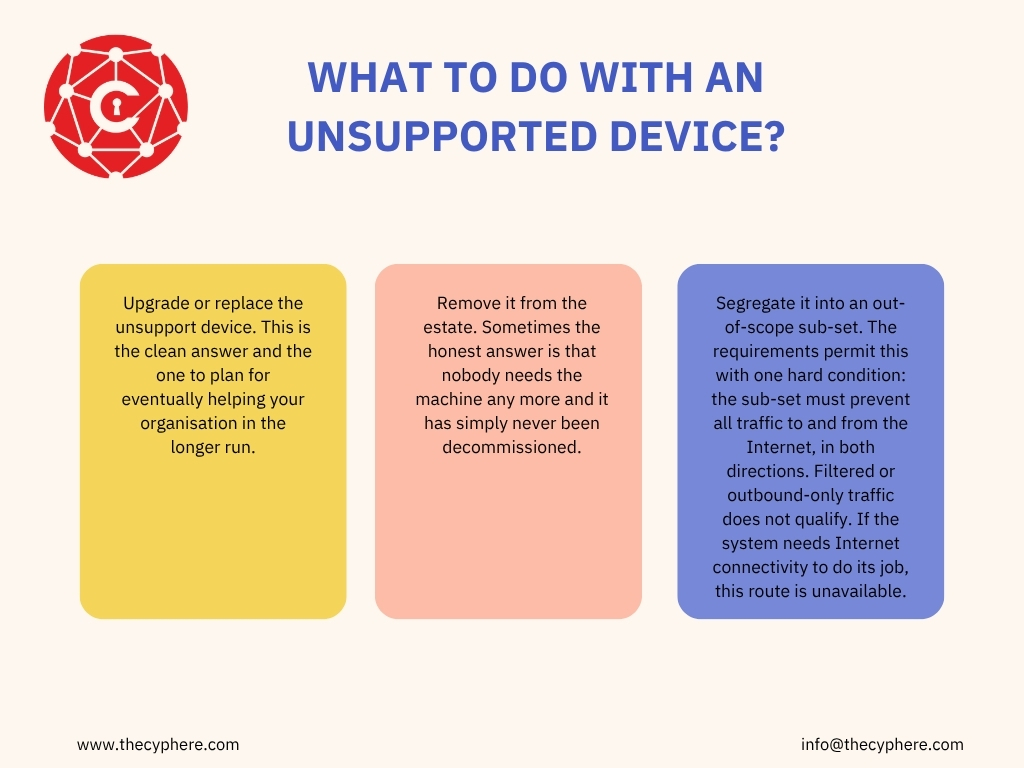
- Upgrade or replace the unsupported device. This is the clean answer and the one to plan for eventually helping your organisation in the longer run.
- Remove it from the estate. Sometimes the honest answer is that nobody needs the machine any more and it has simply never been decommissioned.
- Segregate it into an out-of-scope sub-set. The requirements permit this with one hard condition: the sub-set must prevent all traffic to and from the Internet, in both directions. Filtered or outbound-only traffic does not qualify. If the system needs Internet connectivity to do its job, this route is unavailable. A sub-set is “part of the organisation whose network is segregated from the rest of the organisation by a firewall or VLAN”, and at Plus the assessor verifies that segregation by technical means; our scope guide covers how to define one.
What you cannot do is leave it in scope with compensating controls around it. The Cyber Essentials Plus Test Specification states that “virtual patching is not an acceptable mitigation to the security vulnerabilities of legacy unsupported operating systems long term and so will not be recognised as a mechanism for compliance with Cyber Essentials requirements”. Under the current requirements, unsupported software is one of the three automatic fails.
Common myths about operating systems and Cyber Essentials
These are the beliefs we hear most often in readiness reviews, and what the requirements actually say.
The belief | What the requirements say |
“The machine still works, so the operating system is fine” | Just because it’s working is not the test. Supported means the vendor is still issuing security fixes and has published an end date; a device can run perfectly for years after that date and fail the assessment on the day. |
“Automatic updates are on, so we are compliant” |
|
“Our IT provider handles updates, so we do not need to evidence anything” |
|
“Windows 11 is a permanent pass” |
|
“Extended support means it is no longer supported” | For Windows Server and LTSC editions, security updates continue through extended support, and IASME states a server is compliant in either mainstream or extended support. |
“Paid extended support does not count” | Microsoft Windows 10 ESU, Windows Server ESU, Ubuntu Pro and SUSE LTSS are all vendor support and all accepted while they run. The exception is support sold by someone other than the vendor. |
“Personal phones are out of scope” |
|
“ChromeOS devices are always compliant because they update themselves” | Only until the model’s Auto Update Expiration date, and only if the device is on the latest version. |
“We can keep the legacy system if the business accepts the risk” | Risk acceptance is not one of the options.
|
How Cyphere checks operating system support?
Our first place to start this is asking for the asset list from each customer, and then checking the OS version on it against the vendor’s lifecycle page. The device that appears late is nearly always the same: an old PC running one piece of legacy software that nobody wants to fiddle with, and the answer for it is always one of the three options above.
At basic Cyber Essentials, the self-assessment questionnaire asks you to list the OS and versions on the devices in scope, and it’s your responsibility to answer these even if it’s your IT provider managing the patching process.
At Cyber Essentials Plus level, the authenticated scan covers a sample of end user devices, servers and IaaS instances, so an unsupported version there must be fixed and retested; our Cyber Essentials Plus requirements guide covers the full test set.
If you are not sure which devices in your estate will fail this test, talk to an IASME-licensed assessor before you submit.
Frequently Asked Questions (FAQs)
Does Cyber Essentials have an approved list of operating systems?
No. The scheme applies a rule, not a list: software in scope must be licensed and supported, with the vendor still issuing security fixes and publishing an end date. Check any list, ours included, against the vendor’s lifecycle page.
Is there a grace period after an OS reaches end of life?
No. From the vendor’s end-of-support date, software in scope must be removed from devices or removed from scope, so a device still running that version fails. Plan upgrades before the vendor’s date, not after it.
Does Windows 11 24H2 pass Cyber Essentials certification?
No. Microsoft Windows 11, version 24H2 Home and Pro editions reached their end of service and stopped receiving monthly security updates on October 13, 2026.
Does Windows 10 with Extended Security Updates pass Cyber Essentials?
Yes, when the device is on version 22H2, enrolled in ESU and receiving updates. IASME’s Knowledge Hub says you “must be signed up to the Microsoft Extended Security Update program” and that unenrolled Windows 10 is no longer supported. ESU is time-limited; plan the migration.
Can we keep an unsupported system if we isolate it from the network?
Only if the isolation is complete: a defined sub-set that prevents all traffic to and from the internet, in both directions. Partial isolation, outbound-only access or a restrictive firewall rule does not qualify, and virtual patching is not recognised.
What if a business application only runs on an unsupported operating system?
Then the device must leave scope or the application must move: replace or re-platform the application, or isolate the device completely (see the isolation answer above). Blocking email and web browsing on the device does not make it compliant.
Which iPhone and Mac versions does IASME accept?
IASME lists iOS and iPadOS 16, 18, 26 and 27 as supported (iPadOS 17 as well, iOS 17 not), and macOS Tahoe, Sequoia and Sonoma, with Sonoma ending in Q4 2026. Apple supports each macOS for about three years.
What about Android phones where the manufacturer has stopped issuing patches?
That device is unsupported, regardless of the Android version it reports. Support comes from the manufacturer, not the version number.
Related Guides and Resources
- Cyber Essentials requirements: the security update management control
- Why organisations fail Cyber Essentials: where unsupported software sits in the failure list
- Cyber Essentials scope: sub-sets and segregation
- Cyber Essentials BYOD requirements: personal devices and mobile support
- Cyber Essentials changes 2026 (Danzell): the three automatic fails
- Cyber Essentials Plus checklist: preparing the estate before the audit
- Cyber Essentials Plus requirements: the full test set
- IASME Cyber Essentials Knowledge Hub: IASME’s operating system pages, one per platform