New and more sophisticated vulnerabilities are appearing almost daily. Security vulnerability scans are a testing method to identify and classify these evolving cyber threats affecting an asset, i.e. a server, a workstation, or a device. Vulnerability assessment is performed using automated vulnerability scanning tools by approved scanning information security vendors to scan for known vulnerabilities.
These tools mentioned in this article are a mix of open-source and commercial software such as Nessus, Qualys, OpenVAS, etc., which is also the topic of our discussion.
We used and reviewed 15 top vulnerability scanners, and our review of each tool is mentioned below.
Vulnerability Scanning Tool #1: Tenable Nessus
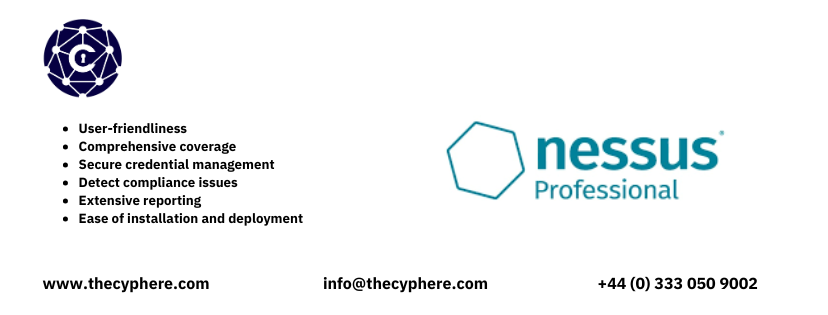
Nessus is widely known for its comprehensive vulnerability database, advanced scanning capabilities, and frequently updated database. It provides in-depth assessments for network devices, servers, workstations, and configuration reviews, making it popular for enterprise-level vulnerability management. This helps security teams to prioritize vulnerabilities based on the impact, exploitation and other factors relevant to the vulnerability landscape for production environments.
Commercial users can opt for advanced support and other features. Tenable also includes specific plugins for such checks to identify malicious data or bad reputation binaries.
What I like
- Go to choice tools used by cybersecurity professionals and security teams for regularly scanning across web apps, a web server, an internal network or external infrastructure to identify misconfiguration and other vulnerabilities.
- User-friendliness
- Comprehensive coverage to measure attack surface
- Secure credential management
- Detects compliance issues
- Extensive reporting
- Ease of installation and deployment
What I dislike
- Less visibility on failed scans
- Past scans may take up a lot of disk space
- It may sometimes report false positives as critical vulnerabilities
Best suited for
Network, cloud, and configuration reviews.
Pricing
Subscription-based with a limited functionality free version available.
Platform supported
Linux, Windows, and MacOS.
Rating
Nessus has a rating of ⭐4.5 on Gartner.
Vulnerability Scanning Tool #2: Greenbone OpenVAS

OpenVAS is an open-source scanning solution managed by Greenbone Networks. This infrastructure scanner is recognised for its extensive plugins and periodic updates, making it a great choice for organisations seeking a powerful yet open-source and free vulnerability scanner.
What I like
- Easy to install and deploy
- Comprehensive coverage
- Comes as a pre-built virtual machine
What I dislike
- Confusing Web-UI
- Less accuracy
- Dashboards with fewer insights
Best suited for
Network infrastructure.
Pricing
Open-source, with enterprise options available.
Platform supported
Linux
Rating
Greenbone vulnerability management has a rating of ⭐4.1 on Gartner.
Vulnerability Scanning Tool #3: Qualys VMDR
Qualys VMDR is a cloud-based vulnerability management solution that continuously scans network, cloud infrastructure, web servers and web application vulnerabilities. It is specifically known for its scalability and integration with compliance solutions.
What I like
- Comprehensive coverage of vulnerabilities
- Continuous monitoring
- Integrated patch management
- Scalability
- Detailed reporting
What I dislike
- Complex configuration
- Periodic false positives
- High cost
Best suited for
Network, web applications, and cloud.
Pricing
Subscription-based, pay-as-you-go.
Platform supported
Cloud-based, accessible via web interface.
Rating
Qualys VMDR has a rating of ⭐4.4 on Gartner.

Vulnerability Scanning Tool #4: Rapid7 InsightVM

InsightVM by Rapid7 offers real-time vulnerability management and risk assessment. It focuses on asset discovery, vulnerability scanning, prioritisation, asset categorisation, and live vulnerability detection.
It integrates seamlessly with Rapid7’s Insight platform, providing extensive data visualisation and threat analytics.
What I like
- Vulnerability prioritisation
- Detect vulnerabilities real-time
- Tracking remediation efforts
- Integration with other Insight products
- Customisable dashboards
- Seamless integration with ticketing systems and other security products
What I dislike
- Complex installation and deployment
- High cost
- Resource intensive
- A bit difficult to understand
Best suited for
Network infrastructure and cloud.
Pricing
Subscription-based with free trial available.
Platform supported
Cloud-based, accessible via the web interface, however on-prem installations of Windows and Linux are also available named as Nexpose.
Rating
InsightVM has a rating of ⭐4.3 on Gartner.
Vulnerability Scanning Tool #5: Wazuh

Wazuh is an open-source set of security tools that provides vulnerability detection, intrusion detection, and log management capabilities. It has a frequently updated vulnerability database used to identify security issues. It uses data from the installed endpoint agents to identify vulnerabilities, detect malware, and analyse security events in endpoints across networks and cloud environments.
What I like
- Open-source and cost-effective
- Comprehensive security features
- Scalability
- Integration with Elastic stack
What I dislike
- Resource intensive
- Limited support
- Complex initial setup and configuration
- Steep learning curve
Best suited for
Endpoint, network, and cloud environments.
Pricing
Open-source, with premium support options.
Platform supported
Linux, Windows, and MacOS.
Rating
Wazuh has a rating of ⭐4.9 on Gartner.
Vulnerability Scanning Tool #6: GFI LanGuard
GFI LanGuard offers vulnerability assessment and patch management in one package, enabling organisations to identify vulnerabilities across their digital infrastructure. Known for its user-friendly interface, it is relatively suitable for small to medium-sized organisations.
What I like
- Extensive vulnerability scans
- Automated remediation and patching
What I dislike
- No integration with other tools
- Occasional service crashes
- Out-dated user interface
- Scrambled reports
- High cost
Best suited for
Network and endpoint security.
Pricing
Per-node pricing, with a free trial.
Platform supported
Windows.
Rating
GFI LanGuard has a rating of ⭐4.5 on Gartner.
Vulnerability Scanning Tool #7: Ridge Security RidgeBot
RidgeBot is an AI-powered automated vulnerability scanner and penetration testing tool that simulates attacks to assess network security. It is designed to continuously identify and exploit vulnerabilities, making it a powerful tool for proactive security testing.
What I like
- Combines vulnerability scans and penetration testing
- Automated AI-driven penetration testing engagements
- Self-learning capabilities based on previous scans
- Highly accurate with proof-of-concepts of exploitation
- Continuous scanning
What I dislike
- High cost
- A bit complex to deploy and install
- Manual fine-tuning required for custom applications
Best suited for
Network and cloud infrastructure.
Pricing
Subscription-based.
Platform supported
Type 1 and type 2 virtual machines, cloud-based accessible via web interface.
Rating
RidgeBot has a rating of ⭐4.7 on Gartner.
Vulnerability Scanning Tool #8: PingCastle
PingCastle is a vulnerability scanning tool focusing only on Active Directory security. It helps identify misconfigurations and detect vulnerabilities and potential risks within AD environments. It provides detailed audits and reports, helping organisations strengthen their Active Directory security posture.
What I like
- Easy to use
- Comprehensive reporting
- Desktop application (no installation required)
- Quick and light-weight
What I dislike
- The reporting style and user interface seem to be outdated
- Occasional false positive vulnerabilities
- No exploitation suggestion
- No customisation supported
Best suited for
Active Directory security assessment.
Pricing
One-time license fee, with a free version available.
Platform supported
Windows.
Rating
Based on our team’s opinion about the tool, we would rate it ⭐3/5.
Vulnerability Scanning Tool #9: BloodHound
BloodHound is focused only on Active Directory security and uses graph theory to map Active Directory permissions and draw potential attack paths, helping security teams identify potential domain privilege escalation and lateral movement routes. Penetration testing and red teams often use it to understand and visualise AD security weaknesses.
What I like
- Multiple options available for data collection
- Complete visibility of active directory
- Supports custom queries in addition to built-in ones
- Exploitation and post-exploitation suggestions
- Clear attack paths
What I dislike
- Sometimes, it can be resource-intensive
- Some exploitation techniques are a bit difficult to understand
Best suited for
Active Directory security vulnerabilities.
Pricing
Open-source and free, with enterprise paid version also available.
Platform supported
Windows, Linux, MacOS, docker image, cloud-based (enterprise edition only).
Rating
Based on our team’s usage, BloodHound would easily score ⭐4.5/5.
Vulnerability Scanning Tool #10: Invicti
Formerly known as Netsparker, Invicti is an automated web vulnerability scanner that identifies vulnerabilities such as injection flaws, cross-site scripting, file inclusions, remote-code executions, and other web-based security weaknesses. It is known for its proof-based scanning, which verifies identified vulnerabilities and reduces false positives.
What I like
- User-friendly and easy to use
- Highly accurate in identifying potential vulnerabilities such as SQL injection, new vulnerabilities, missing patches, weak passwords or other critical issues
- Proof-based scanning
- Highly scalable
- Integration with other tools like web application firewalls and ticketing systems
- Comprehensive reporting
What I dislike
- High cost
- Resource-intensive
- Difficult to install and setup
- Not efficient for API scanning
Best suited for
Web applications and APIs.
Pricing
Subscription-based.
Platform supported
Windows and cloud-based.
Rating
Invicti has a rating of ⭐4.3 on Gartner.
Vulnerability Scanning Tool #11: Acunetix
Acunetix is a web application vulnerability scanner with a focus on identifying security flaws in websites and APIs. Its user-friendly features, like automated testing for web application security vulnerabilities and detailed reporting, make it suitable for organisations of all sizes focusing on web application security.
What I like
- Easy to deploy and install
- User-friendliness
- Automated vulnerability verification
- Comprehensive reports on compliance issues
What I dislike
- High cost
- Occasional false positives and false negatives
- Buggy authentication scans
Best suited for
Web applications and APIs.
Pricing
Subscription-based, with a free trial.
Platform supported
Windows, Linux, docker image, and cloud-based.
Rating
Acunetix has a rating of ⭐4.4 on Gartner.
Vulnerability Scanning Tool #12: Rapid7 InsightAppSec
InsightAppSec by Rapid7 is a dynamic application security testing (DAST) tool and vulnerability scanner that identifies vulnerabilities in web applications. Integrated with the Rapid7 Insight platform, it provides continuous vulnerability scanning and tracking of web application security risks.
What I like
- Easy to deploy
- Detailed reporting
- Automated attack replay
- Seamless integration with Rapid7 Insight platform
What I dislike
- High cost
- Complex application onboarding
- Difficult to set up authentication scans and record login sequences
- High ratio of false positive vulnerabilities
Best suited for
Web applications.
Pricing
Subscription-based.
Platform supported
Cloud-based accessible via a web interface.
Rating
InsightAppSec has a rating of ⭐4.3 on Gartner.
Vulnerability Scanning Tool #13: Zed Attack Proxy (ZAP)
ZAP is an open-source web application vulnerability scanner by Checkmarx that offers both automated and manual vulnerability detection. It is widely used by security teams and developers for testing web applications and is known for its extensibility and ease of use. For an open-source and free tool, ZAP offers robust features for manual penetration testing, like replaying web application requests.
What I like
- Free and open-source vulnerability scanner
- Offers automation
- Easy integration with CI/CI pipelines
What I dislike
- Possibility for false positive vulnerabilities
- Poor documentation
- Complex user interface
Best suited for
Web applications and APIs.
Pricing
Free and open-source.
Platform supported
Linux, Windows, and MacOS.
Rating
Checkmarx ZAP has a rating of ⭐4.7 on G2.
Vulnerability Scanning Tool #14: BurpSuite
Burp Suite is a leading web application scanning tool for both manual and automated security testing of web applications and APIs, providing vulnerability scanning, manual testing tools, and many community-developed plugins. It is highly valued by penetration testers for its active vulnerability scanning and automation capabilities.
Being a leader in web application scanners, BurpSuite is the go-to solution for many penetration testers and security researchers.
What I like
- Comprehensive web vulnerability scanning
- Extensive automation and manual capabilities
- Large and active community
- Great support
- Powerful proxy capabilities for manual testing
What I dislike
- Occasional false positive vulnerabilities
- Steep learning curve
- Resource intensive
Best suited for
Web applications and APIs.
Pricing
The community edition is free. Pro and Enterprise versions are subscription-based.
Platform supported
Linux, Windows, and MacOS, however, the enterprise version is cloud-based.
Rating
BurpSuite has a rating of ⭐4.7 on Gartner.
Vulnerability Scanning Tool #15: Veracode
Veracode is a comprehensive application security platform providing static and dynamic testing and software composition analysis. With a focus on securing software throughout the development lifecycle, it is well-known among organisations practicing DevSecOps.
What I like
- Focus on DevSecOps and S-SDLC
- Detailed report and compliance cycle
- Automated remediation guidance
- Easy integration with CI/CD pipelines
What I dislike
- Complex license model
- High cost
- Limited customisation
Best suited for
Static and dynamic testing (SAST/DAST), software composition analysis (SCA).
Pricing
Subscription-based.
Platform supported
Cloud-based.
Rating
Veracode has a rating of ⭐4.7 on Gartner.
How to Pick the Best Vulnerability Scanning Tool? for effective vulnerability management?
Selecting the right vulnerability scanning tool can be challenging, but considering the following factors can help you make an informed choice.
1. Type of environment
While selecting a vulnerability scanning tool, it is beneficial to choose one that can test multiple environments such as network, cloud, web, etc. With time, technology evolves, and businesses grow; if your selected tool can scan across different environments, it will keep you at ease to not invest in multiple vulnerability scanners for each environment. Doing so will save you time and ease the financial burden of purchasing and maintaining multiple solutions.
2. Scanning focus
Choosing a tool built for the specific type of asset you need to scan is important. A good cloud vulnerability scanner might not best fit to test mobile security or devices. So, when you evaluate solutions, ensure the tool matches your primary focus on assets such as operating systems, networks, web servers, mobile, API, etc. If you require compliance, go with those that offer built-in compliance reporting to simplify your needs and regulatory requirements.
3. False positive rate
When evaluating vulnerability scanners, it is also crucial to consider the accuracy of scanning results. If the tool has great features but reports many false positives, it is not a good option. Opt for tools that do not detect false positives and are known for their accuracy because you won’t like to spend time investigating irrelevant issues or issues that don’t have any risk as reported.
4. Should cover a wide range of vulnerabilities
A good vulnerability scanner does not limit itself to a single database; instead, it covers a wide range of vulnerabilities, from outdated software to configuration errors. The tool must also stay up-to-date with newly reported threats, such as zero-day vulnerabilities. You must go for those tools that cover a wide range of vulnerabilities, such as CVE, NVD, exploit-db, threat intelligence feeds, etc., to ensure comprehensive coverage and better protection.
5. Reporting
The vulnerability scanner must have an effective reporting format, including an appropriate risk level, actionable remediation, clear URLs or vulnerable asset details, vulnerability descriptions, etc. It is also beneficial to choose tools that offer automated reporting for both technical and executive personnel.
6. Integration capabilities
With more development and operations moving towards DevOps and cloud, your vulnerability scanners must have features to plug into existing systems and processes such as CI/CD pipelines, docker, containers, SaaS, etc. Furthermore, the integration should be seamless, with ease of installation, administration, and automation.
From exporting identified vulnerabilities to IT ticketing systems such as Jira to integrating with security incident and event management (SIEM) solutions, your chosen vulnerability scanning tool must have capabilities to streamline the entire workflow efficiently and effectively.

Final Thoughts on remediating security vulnerabilities with the right choice of a vulnerability scanner
Securing your infrastructure hinges on effectively managing risks from both known and unknown vulnerabilities. It’s crucial to swiftly detect and address vulnerabilities before they can be exploited, potentially compromising sensitive data. We covered various vulnerability scanning tools that excel at identifying security weaknesses and safeguarding sensitive information.
Our extensive research, hands-on experience, and insights have compiled a list of top-tier vulnerability scanning tools for diverse IT and cloud environments. Remember, there’s no one-size-fits-all solution—each tool offers unique strengths tailored to specific environments, be it network, cloud infrastructure, web applications, or desktop applications.
Businesses can select a vulnerability scanner that aligns with their specific environmental needs and budget. However, it’s important to acknowledge that automated scanning doesn’t eliminate the need for manual testing. To enhance your security posture, utilise the insights from this article to choose a vulnerability scanner that meets your business and security requirements. Ensure regular scanning of your assets and complement them with timely patch management and risk management strategies for a proactive security approach.
Consider Cyphere’s CREST-accredited penetration testing and vulnerability assessment services for a comprehensive security strategy. Our expertise and contextual approach are central to our methodology, providing tailored solutions to fortify your organisation’s defences. For further assistance, don’t hesitate to reach out for expert consultation.